
We live in the twenty-first century, and with so much technology available, everyone is concerned about their privacy and data. Whether it’s a bank account or a gmail account security & privacy are the top most priority for the users.
In this blog we are going to discuss how to successfully sign out from the gmail account from desktop and phone.
Learn How to Logout of Gmail Account
How to sign-out from a Gmail Account on Desktop
- Open your gmail in any browser
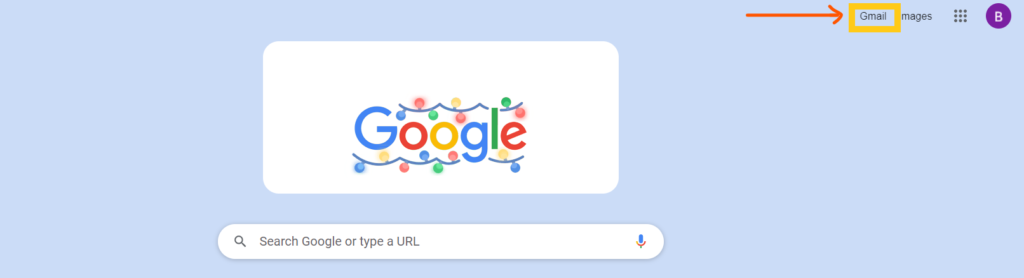
- Click on your “Profile picture icon”, located at the right-top corner of the screen.
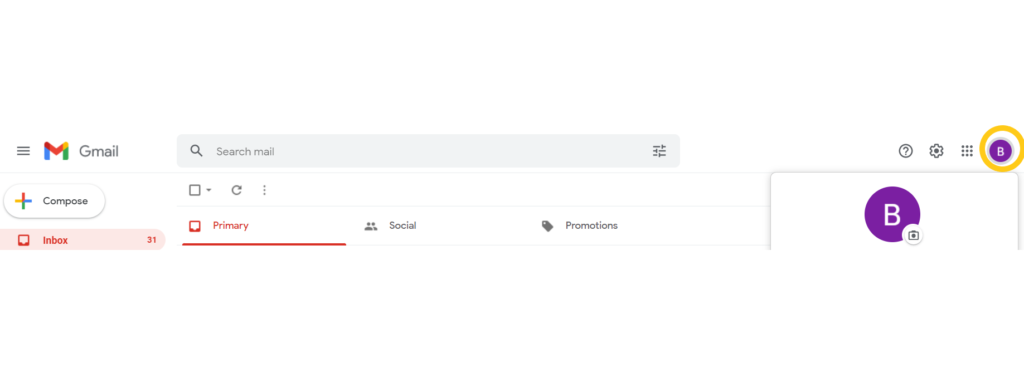
- Once clicked on “Profile icon”, a pop-up appears on the screen. To sign-out from the gmail, click on the “Sign-out” button on the popup.

How to sign-out from a gmail account on android?
- Open gmail account on the phone

- Click on “Profile icon”, located on the top-right corner of the gmail application.
- Once clicked, a pop-up appears on the mobile screen. Click on “Manage accounts on this device”
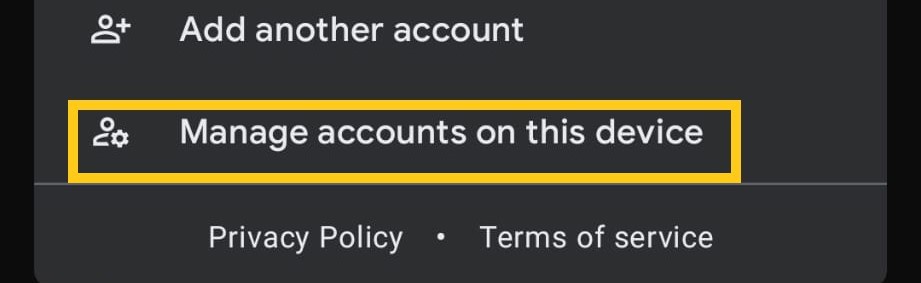
- Click on the gmail account you want to sign out.
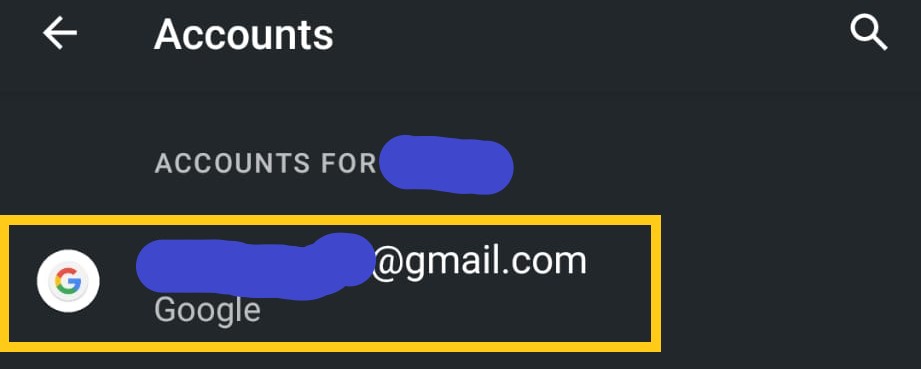
- Click on the gmail account you want to sign out.

- To remove the gmail account from your phone, click on “Remove account”.
Sign-out from a gmail account takes less than a minute and it could protect your data and privacy.