Quick answer
- Use AI meeting assistants like Otter.ai or Fireflies to auto-transcribe and summarise standups, planning sessions and sprint reviews
- Apply AI writing tools (ChatGPT, Claude or Notion AI) to draft retro summaries, user stories and stakeholder updates in minutes
- Automate backlog refinement with AI prompts that generate acceptance criteria, estimate story points and spot duplicate tickets
- Set up an AI workflow tracker in Notion to log every tool, measure time saved and store reusable prompts for common Scrum tasks
- Test one tool per sprint—pilot it with your team, track adoption and ROI, then scale or replace before the next retro
Scrum Masters juggle a lot: daily standups, sprint planning, retrospectives, backlog grooming, stakeholder emails and endless status updates. Most of that work is essential but repetitive—exactly the kind of workload AI can shrink.
This guide walks you through the best AI tools Scrum Masters actually use to automate admin, improve collaboration and reclaim five or more hours every week. You’ll also find practical workflows, realistic tips on adoption and links to deeper Scrum resources on Digitify.
Why Scrum Masters Need AI Tools
Your role is to remove blockers, coach the team and protect the sprint. But you spend hours transcribing notes, chasing updates, writing retro reports and formatting Jira tickets.

AI tools can take over the repetitive parts—transcription, summarisation, drafting user stories, even generating action items—without replacing the human judgment that makes you effective. You still facilitate and decide; the tools just handle the typing and templating.
If you’re already using Scrum or Kanban in a project‑management tool, these AI additions slot in alongside your existing workflow. Many teams save an hour or two on meeting admin alone.
AI Meeting Assistants for Standups and Sprint Ceremonies
What they do: Join your video call, transcribe everything in real time, generate a summary with action items and sync notes to Slack, Notion or your task board.
Top picks:
- Otter.ai – Free tier includes 300 monthly minutes; works with Zoom, Google Meet and Teams. Real-time transcription appears as people speak, and you can highlight key decisions or assign action items during the call.
- Fireflies.ai – Joins meetings automatically when invited, summarises each speaker’s contributions and integrates directly with Jira, Asana and Notion. Free plan covers unlimited transcription; paid plans add topic tracking and CRM sync.
- Fathom – Focuses on brevity: seven-minute summaries for hour-long calls. Highlights, video clips and keyword search make it easy to share standout moments with stakeholders.
How Scrum Masters use them: Invite the bot to your daily standup, sprint planning and retrospective. After the call, copy the summary into your sprint doc or send it to the team in Slack. You skip manual note-taking and still have a searchable record of decisions.
For deeper comparisons and setup tips, see our guide on AI notetakers for remote teams.
ChatGPT and Claude for Drafting User Stories and Acceptance Criteria
What they do: Turn rough feature ideas into structured user stories, generate acceptance criteria checklists and suggest edge cases you might have missed.
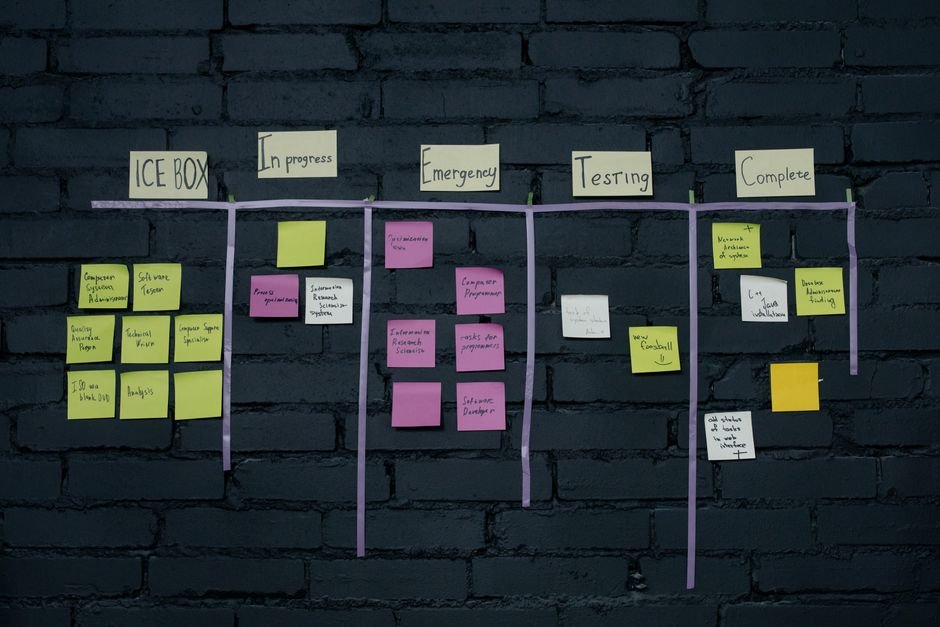
Example prompt for backlog refinement:
“Write a user story for a feature that lets customers download their order history as a PDF. Include acceptance criteria, edge cases and three test scenarios.”
Both ChatGPT (OpenAI) and Claude (Anthropic) will return a formatted story with “As a… I want… So that…” phrasing, a bullet list of acceptance criteria and test ideas. You review, tweak and paste into Jira or your backlog tool.
Time saved: Writing stories from scratch can take 10–15 minutes each. AI drafts cut that to two or three minutes of editing. Over a sprint with twenty tickets, that’s two hours back in your calendar.
If you want to refine your prompts further, check out how to write better prompts for AI tools.
Notion AI for Sprint Summaries and Retro Reports
What it does: Built into Notion pages, Notion AI can summarise meeting notes, turn bullet points into prose, translate retro feedback into action items and even generate tables or timelines.
Practical workflow:
- Create a sprint retro page with sections for “What went well,” “What didn’t” and “Actions.”
- Paste raw team feedback from a Miro board, Google Doc or Slack thread.
- Select all the text and click “Ask AI” → “Summarise.” Notion AI condenses the points and groups similar themes.
- Use “Make action items” to turn suggestions into a to-do list with owners and due dates.
You can run the whole retro cycle in Notion—our guide to running Scrum in Notion shows how to link sprints, backlogs and retros in one workspace.
If you’re managing multiple AI tools and want a single place to track prompts, experiments and ROI, the AI Project Command Center Notion template includes 12 pre-built workflows and a prompt library designed for recurring tasks like sprint summaries and backlog grooming.
AI Tools for Sprint Retrospectives
Retrospectives can feel repetitive: the same questions, the same sticky-note exercise, the same struggle to turn vague feedback into actions. AI speeds up the facilitation and analysis.
Retrium and Parabol both offer AI-assisted retro features—they group similar cards, suggest themes and draft follow-up actions. If you prefer a prompt-based approach, use ChatGPT or Claude with a structured template.
Sample retro prompt:
“Analyse this sprint retrospective feedback and identify the top three themes. For each theme, suggest one actionable improvement the team can try next sprint: [paste team feedback here]”
For ready-to-use templates and deeper prompt examples, read our full post on AI tools for sprint retrospectives.
Automated Status Updates and Stakeholder Reports
Stakeholders want updates; you want to avoid writing the same email every Friday. AI writing tools can draft those reports in seconds.
How it works:
- Export your sprint board from Jira, Asana or Notion—usually a CSV or text list of completed, in-progress and blocked tickets.
- Paste the export into ChatGPT or Claude with a prompt like: “Write a two-paragraph status update for stakeholders. Highlight completed features, current blockers and next sprint’s focus. Keep the tone professional but friendly.”
- Review, add any context the AI missed (team absences, dependencies, risks) and send.
This approach works especially well if you’re already using AI tools as a freelancer or solo Scrum Master juggling multiple projects.
Backlog Refinement: Generating Estimates and Acceptance Criteria at Scale
A healthy backlog needs every story estimated and every ticket well-defined. AI can’t replace team poker planning, but it can pre-fill story details so your refinement session moves faster.
Workflow:
- List five to ten rough feature ideas in a Google Doc or Notion page.
- Feed the list to ChatGPT or Claude with the prompt: “For each feature, write a user story in the format ‘As a [role], I want [action] so that [benefit].’ Add three acceptance criteria and suggest a story-point estimate (1, 2, 3, 5, 8) with reasoning.”
- Review the output with your team during refinement. Adjust estimates through discussion, but start with a draft instead of a blank ticket.
Over a two-week sprint, this can save an hour or more of ticket-writing time. Pair it with Notion’s sprint planning template if you want a visual board that links stories to epics and sprints.
Ready-made Notion template
AI Project Command Center
A Notion template to track every AI tool you pay for, score its ROI, keep a prompt library and log experiments. Includes 12 pre-built AI workflows and 20+ ready-to-use prompts. Works on Notion's free plan.
AI Tools for Documentation and Knowledge Management
Scrum Masters maintain wikis, onboarding docs and process guides—documents that everyone needs but nobody wants to write. AI writing assistants make the first draft painless.
Use cases:
- Onboarding guides – Prompt: “Write a two-page onboarding doc for new developers joining an agile team. Cover sprint ceremonies, tools we use and how to pick up the first ticket.”
- Definition of Done checklists – If you need a refresher on what “Done” means in Scrum, our article on Definition of Done in Scrum Agile explains the concept in detail. Use AI to draft a checklist tailored to your team’s tech stack and quality standards.
- Process FAQs – Feed the AI common questions from Slack and ask it to write a FAQ page.
Store all these docs in Notion, Confluence or SharePoint. Notion AI works especially well here because it can update existing pages without leaving the editor.
How to Choose the Right AI Tools for Your Team
Every team has different pain points. Before adopting a new tool, ask:
- What task takes the most time? Meeting notes, backlog grooming, status emails or retro reports?
- Does the tool integrate with your stack? Check for Jira, Slack, Notion, Asana or Microsoft Teams connectors.
- What’s the learning curve? Tools like Otter and Fireflies require almost no setup; custom GPT workflows need prompt training.
- What’s the cost? Many AI meeting assistants offer free tiers; ChatGPT Plus is $20/month; Notion AI is $10/user/month on top of Notion’s free or paid plan.
Pilot one tool per sprint. Track time saved, team adoption and any friction. If it doesn’t deliver value by the retro, drop it and try the next option.
For a broader look at business AI, see our roundup of the top AI tools for business.
Setting Up an AI Workflow: A Step-by-Step Example
Here’s a realistic weekly workflow that combines the tools above and saves roughly five hours:
Monday morning (sprint planning):
- Invite Fireflies to the planning call. It transcribes and highlights commitments.
- Use ChatGPT to draft acceptance criteria for any under-defined tickets during the meeting.
- Export the sprint board and paste the summary into your team Notion page.
Daily standups (15 minutes each):
- Otter.ai joins automatically. After the call, copy the summary to Slack.
- No manual note-taking; you focus on listening for blockers.
Mid-sprint backlog refinement:
- List new feature requests in a Notion database.
- Ask Notion AI or ChatGPT to turn each request into a user story with acceptance criteria.
- Review with the product owner before the next planning session.
Friday afternoon (sprint review and retro):
- Fireflies records the review; share the summary with stakeholders.
- Run the retro in Notion. Use Notion AI to group feedback themes and generate action items.
- Draft the weekly status email by pasting sprint data into Claude and asking for a two-paragraph update.
Total time saved: roughly one hour on meeting notes, two hours on backlog and story writing, one hour on retro reports and one hour on stakeholder updates—five hours per week.
Common Pitfalls and How to Avoid Them
Over-reliance on AI drafts: Always review and edit. AI can miss context, invent features or misinterpret technical terms. Treat every output as a first draft.
Tool sprawl: Adding five new AI subscriptions creates admin overhead. Start with one meeting assistant and one writing tool; expand only when you’ve mastered those.
Ignoring team buy-in: Introduce AI tools transparently. Explain what data the bot sees, how transcripts are stored and who has access. Some developers resist “surveillance” tools; address concerns early.
Forgetting to measure: Track hours saved, story throughput and team satisfaction. If you can’t quantify the benefit by the next retro, the tool probably isn’t worth keeping.
Integrating AI Tools with Your Existing Scrum Stack
Most Scrum teams already use Jira, Asana, Trello, Notion or Azure DevOps for backlog management. The AI tools in this guide connect to those platforms via Zapier, native integrations or copy-paste workflows.
Jira users: Fireflies and Otter both push action items to Jira via Zapier. ChatGPT can generate Jira-compatible markdown for bulk ticket imports.
Notion users: Notion AI, Fireflies and Otter all sync meeting notes to Notion databases. Use Notion’s API or embed transcripts directly. Our guide on Notion for remote teams shows how to centralise docs, meetings and tasks in one workspace.
Microsoft Teams users: If your organisation runs on Teams, read our post on AI tools for Microsoft Teams to see how Otter and other bots handle meeting notes, summaries and follow-ups inside the Teams ecosystem.
Staying Evergreen: How AI Tools Will Evolve for Scrum Masters
AI capabilities change fast. Today’s tools transcribe and summarise; tomorrow’s will predict sprint risks, auto-assign tickets and coach team dynamics in real time.
What to watch:
- Deeper Jira and Asana integrations – Expect AI to suggest sprint commitments based on past velocity, flag over-allocated developers and rewrite vague tickets automatically.
- Voice-driven workflows – “Hey AI, summarise today’s standup and email the highlights” will soon be a one-sentence command.
- Predictive retro insights – Tools will analyse sentiment in Slack, commits in GitHub and ticket comments to surface morale trends before the retro.
Check tool changelogs and release notes every quarter. Free tiers often add pro features as competition heats up, so revisit tools you dismissed six months ago.
For ongoing updates on AI tools across business functions, browse the AI Tools category on Digitify.
Final Checklist: Your First Week with AI as a Scrum Master
- Pick one meeting assistant (Otter, Fireflies or Fathom) and invite it to your next standup.
- Draft three user stories with ChatGPT or Claude to test the quality and speed.
- Run one retro in Notion and use Notion AI to summarise feedback and create action items.
- Write your weekly status email by pasting sprint data into an AI writing tool.
- Log every tool, prompt and time saved in a simple tracker—spreadsheet or Notion database—so you can measure ROI at the next retro.
By the end of the week, you’ll have a repeatable workflow that cuts routine admin and gives you more time for coaching, facilitation and the strategic work that makes Scrum successful.
Frequently asked questions
Which AI tool is best for daily standups?
Otter.ai and Fireflies.ai are the top choices. Both join your video call automatically, transcribe in real time and generate a summary with action items. Otter's free tier includes 300 minutes per month; Fireflies offers unlimited transcription on the free plan. Choose Otter if you need live captions during the call; choose Fireflies if you want automatic syncing to Notion or Jira.
Can AI tools replace a Scrum Master?
No. AI can automate note-taking, drafting and reporting, but it cannot facilitate discussions, resolve conflicts, coach team members or make judgment calls about scope and priority. Scrum Masters use AI to handle repetitive admin so they have more time for the human parts of the role—removing blockers, building trust and protecting the team's focus.
How much do AI tools for Scrum Masters cost?
Many tools offer free tiers: Otter.ai (300 minutes/month free), Fireflies.ai (unlimited transcription free), ChatGPT (free with limits; $20/month for Plus), Notion AI ($10/user/month). You can start with zero budget and upgrade only when you hit usage limits. Check each tool's pricing page for current plans, as limits and features change frequently.
Is it safe to use AI meeting assistants with confidential sprint data?
Most tools (Otter, Fireflies, Fathom) store transcripts on their servers, so review their privacy policy and data-residency options. For sensitive projects, use AI tools that run locally (like offline transcription models) or stick to AI writing assistants where you control what you paste. Always check your organisation's security policy before inviting third-party bots to calls.
How do I get my team to adopt AI tools without resistance?
Introduce one tool at a time, explain what it does and why it helps (e.g. 'Fireflies will join our standup to save me 20 minutes of note-taking every day'). Share the first summary in Slack so the team sees the benefit immediately. Address privacy concerns transparently—show where data is stored and who has access. If the team finds it useful, adoption will follow naturally.
Can I use AI to write user stories for the entire backlog at once?
Technically yes—paste a list of features into ChatGPT or Claude and ask for user stories with acceptance criteria. But AI-generated stories often lack product context, edge cases and stakeholder nuance. Use AI to draft stories quickly, then review and refine each one with your product owner and team during backlog refinement. Treat AI as a writing assistant, not a product manager.