Canva is a popular graphic design platform that has become the go-to tool for individuals and businesses looking to create professional-looking designs.
With its user-friendly interface and extensive library of templates, graphics, and fonts, Canva has revolutionized the way people approach to design.
In this blog, we will answer 17 Most Frequently Asked Questions about Canva (FAQ)
Canva is an online graphic design platform that allows users to create a wide range of designs, including social media graphics, posters, flyers, presentations, and more. The platform includes an extensive library of templates, graphics, and fonts, which users can customize to create their designs. Users can also upload their images and graphics to use in their designs.
2. Is Canva free, or does it have a subscription fee?
Canva has both a free and a paid version. The free version allows users to create designs and access a limited selection of templates and graphics. The paid version, called Canva Pro, offers access to additional templates, graphics, and features such as team collaboration and brand kit management. Canva Pro costs $12.95 per month, with discounts available for annual subscriptions.
3. What kind of designs can I create with Canva?
Canva offers a wide range of design options, including social media graphics, posters, flyers, presentations, infographics, logos, business cards, and more. The platform includes templates for various industries and purposes, making it easy for users to find a design that fits their needs.
4. How easy is it to use Canva for beginners?
Canva is designed to be user-friendly, with a drag-and-drop interface and pre-made templates that allow beginners to create professional-looking designs with ease. The platform also includes tutorials and design courses to help users improve their design skills.
5. Can I use Canva to design for print?
Yes, Canva offers several options for designing for print, including the ability to export designs in print-ready formats such as PDF and PNG. Canva also offers design templates for printed materials such as business cards, brochures, and flyers.
6. Can I use Canva to design a logo?
Yes, Canva offers a logo maker that allows users to create a logo quickly and easily. The platform includes a wide selection of logo templates, graphics, and fonts, which users can customize to create a unique logo.
7. Can I collaborate with others on a design project in Canva?
Yes, Canva offers team collaboration features that allow multiple users to work on the same project simultaneously. Canva Pro offers additional collaboration features, such as the ability to create team folders and set up brand kit management.
8. Can I use Canva on my mobile device?
Yes, Canva has a mobile app that allows users to create and edit designs on their mobile devices. The app is available for both iOS and Android devices.
9. Can I use my own fonts in Canva?
Yes, Canva allows users to upload their own fonts to use in their designs. This feature is available on Canva Pro.
10. Can I create animated designs in Canva?
Yes, Canva offers an animation feature that allows users to add simple animations to their designs. This feature is available on Canva Pro.
11. Can I resize my designs in Canva?
Yes, Canva allows users to resize their designs to fit various social media platforms, as well as print formats such as posters and business cards.
12. Can I use Canva for my business’s branding?
Yes, Canva offers a brand kit management feature that allows businesses to upload their logos, fonts, and colors to create a consistent brand identity across all of their designs.
13. Can I print my designs directly from Canva?
Yes, Canva offers a print service that allows users to order prints of their designs directly from the platform. This service is available on Canva Pro.
14. Can I cancel my Canva subscription at any time?
Yes, users can cancel their Canva subscription at any time. If you cancel your subscription before the end of your billing period, you will retain access to Canva Pro features until the end of that period.
15. Can I download my designs from Canva?
Yes, Canva allows users to download their designs in various file formats, including PNG, JPEG, PDF, and SVG.
16. Can I share my designs with others?
Yes, Canva allows users to share their designs with others by creating a share link or by inviting others to collaborate on a design project.
17. Can I create social media designs in Canva?
Yes, Canva offers a wide range of templates and graphics specifically designed for various social media platforms, including Facebook, Instagram, Twitter, and LinkedIn.
Conclusion:
Canva is a versatile and user-friendly graphic design platform that offers a wide range of design options for individuals and businesses.
With its extensive library of templates, graphics, and fonts, as well as its collaboration features and logo maker, Canva has become a popular tool for creating professional-looking designs quickly and easily. Whether you are a beginner or an experienced designer, Canva offers a range of features and tools that can help you create stunning designs.
In 2023, mobile devices are becoming more powerful, and graphic design mobile apps are more accessible than ever. As a designer, having the right tools at your fingertips can make all the difference.
In this blog, we will explore the top 7 graphic design mobile apps in 2023.
Adobe Photoshop: Adobe Photoshop is a powerful graphic design app that has been the industry standard for years. With the mobile app, you can edit and retouch photos, create complex composites, and design graphics from scratch.
The app includes essential features such as layers, masks, and adjustment tools. With a Creative Cloud subscription, you can access additional features such as typography tools, advanced color grading, and cloud storage.
Canva: Canva is a popular graphic design app that lets you create beautiful designs for social media, marketing materials, and presentations. The app includes a vast library of templates, graphics, and fonts, making it an excellent tool for beginners and professionals alike.
Canva also offers easy-to-use tools for photo editing, creating social media posts, and designing logos. While Canva is free to download, you can access additional features and templates with a subscription.
Procreate: Procreate is a powerful digital painting and drawing app designed for the iPad. With its intuitive interface and advanced brush tools, Procreate is a popular choice for artists and designers. The app includes features such as layer blending modes, 4K canvas sizes, and customizable brushes.
Procreate also allows you to record time-lapse videos of your drawing process, making it an excellent tool for creating content for social media. The app costs $9.99 to download.
Sketch: Sketch is a professional vector graphics app for the iPad. With its powerful tools and intuitive interface, Sketch is an excellent choice for creating high-quality graphics for web and mobile. The app includes features such as vector editing, grid and layout tools, and plugin integration.
Sketch also allows you to export designs as code, making it a popular choice for designers working on app and web development projects. The app costs $9.99 to download.
Figma: Figma is a collaborative interface design tool that allows you to create, test, and share designs with your team. With its real-time collaboration and cloud-based storage, Figma is an excellent choice for teams working on design projects. The app includes features such as vector editing, prototyping, and version control.
Figma also offers design systems and components, making it easy to maintain consistency across your designs. While the app is free to download, you need a subscription to access advanced features such as team libraries and advanced prototyping.
Affinity Designer: Affinity Designer is a professional vector graphics app that lets you create high-quality graphics for web and print. With its advanced tools and features, Affinity Designer is an excellent choice for designers looking for a more powerful alternative to Adobe Illustrator.
The app includes features such as vector editing, pixel persona, and advanced typography tools. Affinity Designer also offers support for artboards, which makes it easier to work on multiple designs at once. The app costs $19.99 to download.
Gravit Designer: Gravit Designer is a free vector graphics app that lets you create stunning designs for web and print. The app includes features such as vector editing, advanced path editing, and automatic alignment. Gravit Designer also offers a powerful text tool that lets you apply typography effects and edit text with ease.
The app is free to download, but some features require a subscription, such as cloud storage and collaboration tools.
Conclusion
In conclusion, having the right graphic design mobile apps can help you work more efficiently and create stunning designs. In 2023, the top 7 graphic design mobile apps are Adobe Photoshop, Canva, Procreate, Sketch, Figma, Affinity Designer, and Gravit Designer. Whether you are a beginner or a professional, there is a mobile app on this list that will meet your needs.
Getting a blue tick on Instagram is an important marker of authenticity and a sign of recognition for your brand or personal account. The blue tick, or verification badge, helps to ensure that people can find your account easily and that they can trust the content you post. Here’s a step-by-step guide on how to get a blue tick on Instagram.
How to Get Verified on Instagram
How to Get Verified on Instagram
Step 1
Meet the Eligibility Requirements Before you can apply for verification, your account must meet certain eligibility requirements. You must have a complete profile with a profile picture, bio, and at least one post. Your account must also be in good standing and must not have any recent violations of Instagram’s terms of service.
Step 2
Choose the Right Account Type Instagram offers verification to two types of accounts: personal accounts and business accounts. Personal accounts are verified to show that they are the authentic accounts of notable public figures, celebrities, and brands. Business accounts are verified to show that they are the official business accounts of a brand, entity or organization. Choose the right account type that applies to you.
Step 3
Complete Your Profile Information It’s important to have a complete profile with all the information filled in, including your bio, profile picture, and at least one post. This information helps Instagram understand who you are and why you’re requesting verification.
Step 4
Submit a Verification Request To submit a verification request, you’ll need to log into your account and go to your profile. Then, tap the three lines in the top right corner and select “Settings”. From there, select “Account” and then “Request Verification”.
Fill out the form with your name, username, and reason for requesting verification. Attach any relevant documentation, such as a copy of your passport or ID, articles or news stories that mention you, and any other information that could help support your request.
Step 5
Wait for Approval Once you’ve submitted your request, Instagram will review your application and let you know if your account has been verified. This process can take several weeks, and it may take several tries before you get a blue tick.
If your request is denied, you can reapply after 30 days.
Benefits of a Verified Badge on Instagram
There are several benefits to getting a blue tick (also known as a verified badge) on Instagram:
Increased Credibility: A blue tick on Instagram is an official endorsement from the platform, indicating that you are a legitimate account. This increases your credibility and helps you build trust with your followers and potential customers.
Increased Visibility: Verified accounts are given priority in Instagram’s search algorithms, making it easier for people to find and follow your
Conclusion
In conclusion, getting a blue tick on Instagram can help increase your brand recognition and credibility. Follow these steps to increase your chances of getting verified, and be patient as the process can take time. Remember to keep your account in good standing by following Instagram’s terms of service, and keep your profile information up to date.
Recently, Google introduced its AI Chat service, Bard, which is seen as a direct rival to OpenAI’s Chat GPT. As the use of AI continues to grow in various industries, it’s important to understand the differences between these two language-based conversational AI models.
It is exciting to see the advancements being made in the field of Artificial Intelligence and the impact it is having on various industries. Both Chat GPT and Google Bard AI have the potential to greatly enhance the way businesses interact with customers, automate routine tasks, and improve decision-making processes. The implementation of AI technology is a double-edged sword, as it has the potential to bring about tremendous benefits while also presenting a number of ethical and privacy concerns.
ChatGPT Vs Bard
Chat GPT is a powerful language generation model that is trained to produce human-like text. It can be fine-tuned for various NLP tasks like question answering, translation, and summarization. However, it can sometimes produce biased or nonsensical text.
Google Bard is a conversational AI powered by LaMDA (Language Model for Dialogue Applications). It aims to bring together human knowledge and the strength and wit of Google’s large language models. Bard will use the vast amount of data available online to provide accurate answers. Currently, it’s in the testing phase and will be made available to the public soon.
There are notable differences between Bard and Chat GPT. Bard can access the latest information available online, whereas Chat GPT’s knowledge is limited to events until 2021.
Chat GPT has been around for a while and has proven to be a powerful tool for various natural language processing tasks. Its ability to generate coherent and contextually relevant text has made it a popular choice for businesses looking to improve their customer experience. However, Chat GPT can also be prone to generating biased or nonsensical text, which raises questions about the ethical use of AI. There is an ongoing debate about the responsible use of AI and the ethical implications of its widespread adoption.
Google Bard AI is a relatively new entrant in the field of conversational AI and is currently in the testing phase. Bard is believed to have the potential to revolutionize the way we access information, as it combines the depth of human knowledge with the strength and wit of Google’s massive language models. Bard will be able to access the latest data and provide more accurate information compared to Chat GPT.
Despite its potential, the implementation of Bard AI also raises a number of concerns. With the increasing use of AI, there is a growing fear of job displacement and the ethical implications of AI’s widespread adoption.
It is important for organizations to carefully consider the benefits and risks of AI usage, and to implement these technologies in a responsible and transparent manner. The use of AI technology should be viewed as an opportunity to enhance the lives of individuals, rather than as a threat to their jobs and livelihoods.
Additionally, Bard will be integrated with Google’s search engine, giving it access to a multitude of data and information, making it more reliable than Chat GPT.
Bard has the advantage of being integrated with Google’s search engine and having access to a vast amount of data, making it more accurate than Chat GPT.
Additionally, Bard’s goal is to make knowledge accessible and encourage learning for everyone, including children, by distilling complex subjects into easily understandable pieces. On the other hand, Chat GPT creates content in response to a text prompt.
What is in the Trend
Who won round 1 (Saint Kitts, Diplomatic Passports)
In conclusion, both Chat GPT and Google Bard AI have the potential to greatly enhance the way we interact with technology and access information. As AI continues to advance, it is important for organizations to carefully consider the ethical implications of its widespread adoption and to implement these technologies in a responsible and transparent manner. The future is bright for AI and its impact on our lives and the world around us.
The field of natural language processing (NLP) has seen great advancements in recent years, and deep learning models like ChatGPT and BERT have played a significant role in this progress.
In this blog, we’ll take a closer look at these two models and understand what sets them apart. ChatGPT vs BERT
Introduction to ChatGPT and BERT
OpenAI’s GPT-3, or Generative Pretrained Transformer 3, is a large language model trained on a diverse range of internet text. One of its variants, ChatGPT, is specifically trained for conversational AI tasks like text-based dialogue, question-answering, and text generation.
Google’s BERT, on the other hand, stands for Bidirectional Encoder Representations from Transformers, and it is trained on a masked language modeling task. This makes it suitable for a wide range of NLP tasks, including text classification, named entity recognition, and question-answering.
ChatGPT vs BERT
Differences between ChatGPT and BERT
The primary difference between ChatGPT and BERT lies in their training objectives and the tasks they are optimized for. While ChatGPT is trained specifically for conversational AI tasks, BERT is trained for a broader range of NLP tasks.
Another key difference is the architecture of these models. ChatGPT is based on the transformer architecture, which is commonly used in NLP models, but with a focus on the conversational AI tasks. BERT, on the other hand, uses a bidirectional transformer architecture, which allows it to consider the context from both the left and the right of a token, making it suitable for various NLP tasks.
Finally, it’s also worth mentioning that ChatGPT and BERT have different sizes and computational requirements. ChatGPT is a smaller model, which makes it easier to fine-tune for specific conversational AI tasks, but it may not perform as well on more complex NLP tasks as compared to BERT.
Use cases for ChatGPT and BERT
Given their different training objectives and architectures, ChatGPT and BERT are used for different purposes. ChatGPT is mainly used for conversational AI applications, such as chatbots and virtual assistants. With its ability to generate human-like responses, ChatGPT can be used to create engaging and informative conversations with users.
BERT, on the other hand, is widely used for a range of NLP tasks, such as text classification, named entity recognition, and question-answering. Its bidirectional architecture and ability to understand context make it a powerful tool for tasks that require a deep understanding of text.
BERT has been applied in a variety of industries, including finance, healthcare, and retail, for tasks such as sentiment analysis and document summarization.
Best Use of ChatGPT
Chatbots: ChatGPT can be used to build chatbots that can answer questions and engage in conversations with users in a natural and human-like manner.
Text Generation: ChatGPT can be used to generate text based on a given prompt, for example, writing captions for social media posts or composing an email response.
Question-Answering: ChatGPT can be fine-tuned for question-answering tasks, where it can provide answers to questions based on a given context or document.
Best Use of Bert
Text Classification: BERT can be used for text classification tasks, such as sentiment analysis or categorizing news articles into different topics.
Named Entity Recognition: BERT can be used for named entity recognition, where it can identify and extract entities like people, organizations, and locations from a text.
Question-Answering: BERT can also be used for question-answering tasks, where it can provide answers to questions based on a given context or document.
Sentence Similarity: BERT can be used to determine the similarity between two sentences, which can be useful for various NLP tasks like document clustering or recommendation systems.
These are just a few examples of the many use cases for ChatGPT and BERT. The choice between these two models will depend on the specific requirements of the task at hand, such as the type of data, the desired performance, and the computational resources available.
Pricing
ChatGPT
OpenAI does not publicly disclose the pricing for its language models like ChatGPT. The cost of using OpenAI’s models will depend on various factors, such as the size of the model, the amount of data processed, and the duration of usage. In general, access to OpenAI’s models is offered through its API, which is a paid service that provides access to the models for specific use cases.
BERT
As for BERT, it is an open-source model, so there is no cost associated with using it. However, the cost of deploying a BERT-based solution will depend on various factors, such as the size of the model, the hardware requirements, and the cost of any additional services required to host and run the model.
It is worth noting that the cost of using these models is not limited to the cost of accessing the models themselves, but also includes the cost of fine-tuning and deploying the models, as well as any ongoing maintenance and support required.
Conclusion
In conclusion, ChatGPT and BERT are both powerful language models developed by OpenAI and Google, respectively. While ChatGPT is optimized for conversational AI tasks, BERT is optimized for a wider range of NLP tasks. Both models have their own strengths and weaknesses, and the choice between the two will ultimately depend on the specific requirements of the task at hand.
The world’s changed a lot in the last couple of years, and businesses have likely changed with it. Digital communications channels have replaced traditional ones. Now more than ever, you need customer relationship management (Cloud Based CRM software).
Even if you already have CRM software in place, it may be time to upgrade to one that is better suited to the modern business style. A proper CRM software goes beyond simple contact tracking by keeping a complete audit trail of every interaction your staff has with each customer. Here are a few pointers you must consider while looking for CRM software for business.
How to Choose the Best Cloud Based CRMSoftware?
Consider the following points while choosing Cloud Based CRM Software for your business:
1. Helps you achieve your unique goals
There are different types of CRM platforms, so the one you choose should offer features that will help you achieve your unique goals. Examine your current sales process and system for managing contacts. Make a list of the Cloud Based CRM features that would be the most effective for streamlining your process.
2. Helps in easy team Collaborations
Consider how and where your team works. A mobile CRM app may prove a valuable tool if your business has team members working remotely or on the road. Many mobile Cloud Based CRM apps allow for offline access, which means data can be recorded and updated even in areas with spotty service.
3. Promises ease-of-use
An intuitive interface is a key to hitting the ground running with new software. Check that any Cloud Based CRM provider you go for promises ease of use. Simple CRM should have smooth navigation and functionality that doesn’t waste time.
4. Provides 24/7 Customer Support
Before committing to software, you should know what kind of support they offer in case things go wrong. Check out if they offer 24/7 live rep phone support and an extensive knowledge base.
Always take the test drive!!!
“The best way of knowing if an on-demand CRM system is right for you is to test-drive its platform before purchasing. This is the only way of knowing for certain if you like the way it looks and performs. Especially if you use that time to also dive into CRM best practices.“
Top 10 cloud based CRM software are:
1. HubSpot CRM
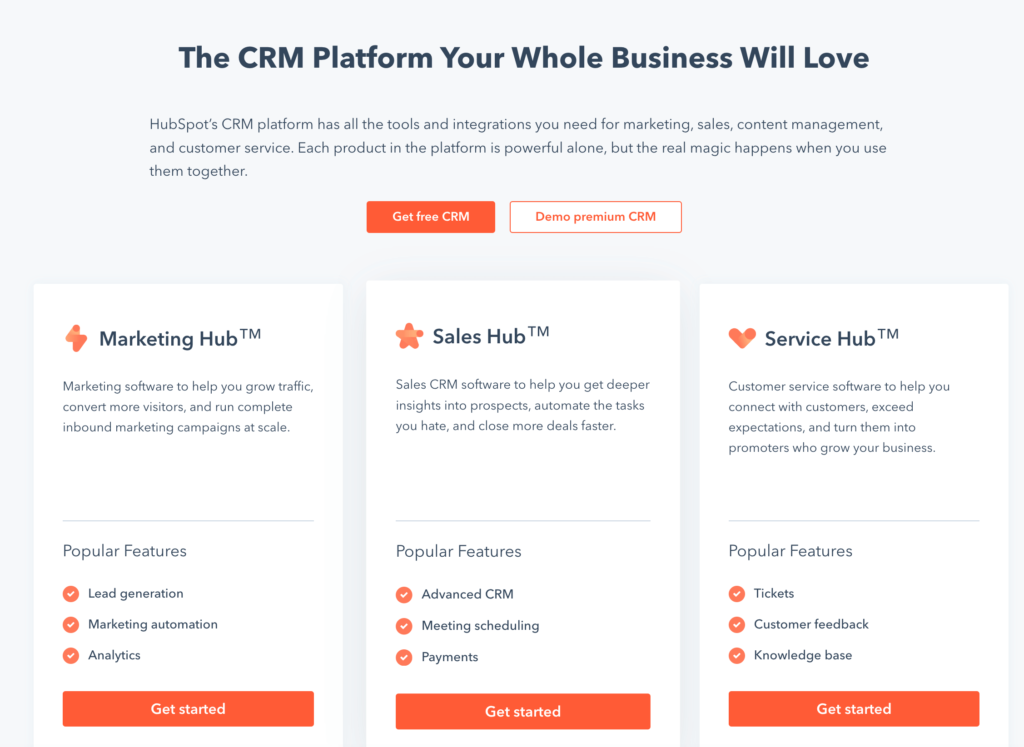
Hubspot CRMserves your business as more than just a contact management system. It is a Cloud Based CRM that offers free tools to update reports and track performance automatically. You can gain complete visibility of your sales pipeline instantaneously through a comprehensive dashboard.
With a global network of 150,000+ businesses spread in 180 countries, Zoho CRM helps companies to grow their revenue by enhancing customer engagement and converting more leads. You can stay ahead in sales by keeping track of performance and sales metrics.
The software empowers your business processes with intelligent AI tools, unified dashboards, and dedicated mobile apps to ensure you succeed by all means.
Price Range: $14 to $52 per user, per month
Features:
Omnichannel platform to connect with customers across different channels.
Sales automation tools to manage leads, contacts, deals, and accounts through workflows and macros.
Customizable dashboards and reports with multiple options to compare, contrast and derive insights from your data.
AI-Powered sales assistant to help you predict sales outcomes, detect anomalies, identify email sentiments and the best time to contact someone.
Internal chat feature plus forums, notes, and groups to facilitate effective team collaboration.
Mobile CRM app to record data, schedule tasks, connect with customers and update information even when you’re offline.
REST API, deluge functions, widgets, web and mobile SDKs, sandbox and developer edition, allows you to extend your CRM’s potential with a mix of low code and pro code.
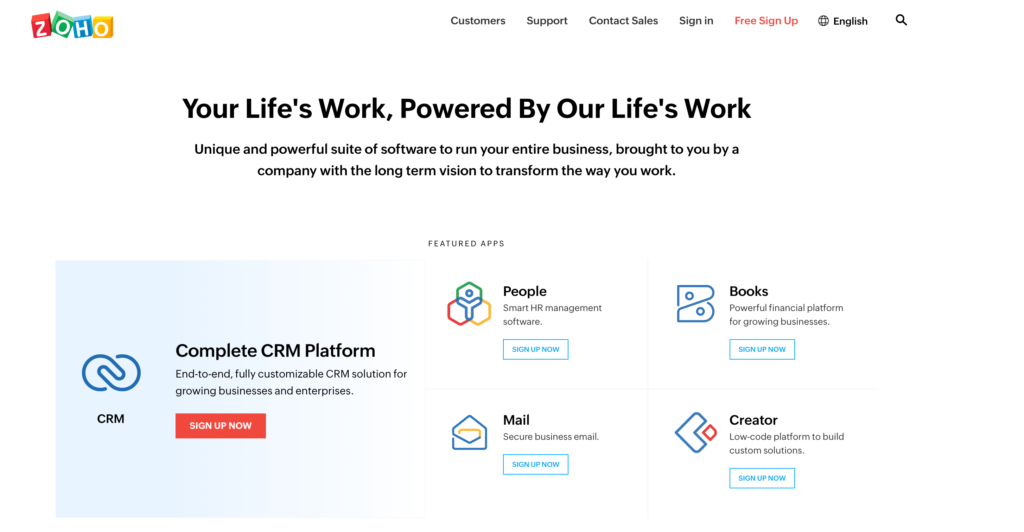
Featured apps of Zoho CRM
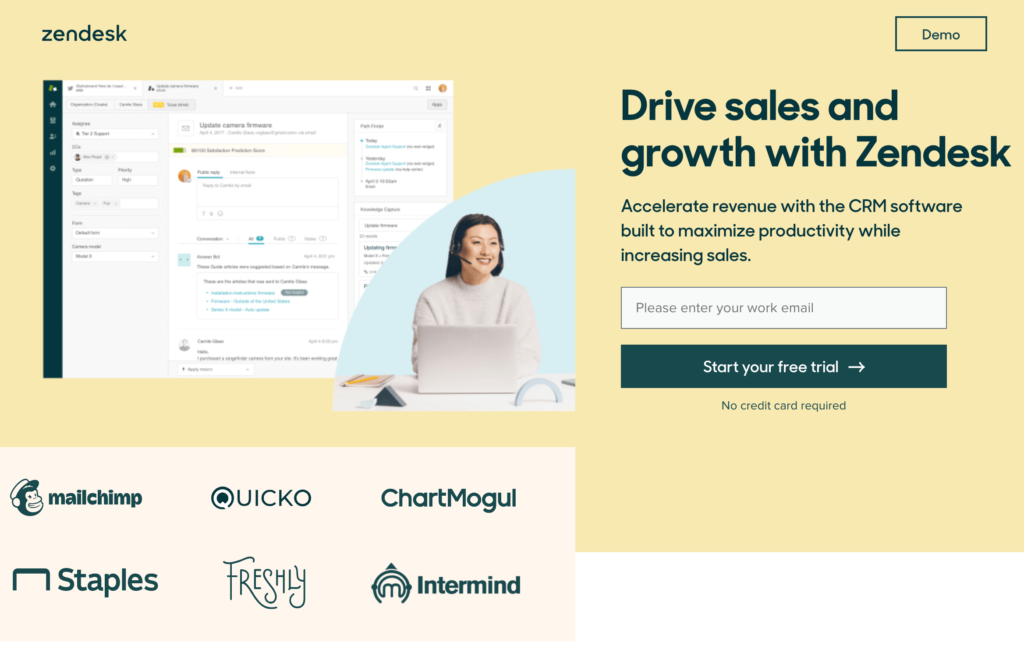
3. Zendesk Sell
Zendesk Sellis a sales Cloud Based CRM software designed to make the jobs of sales personnel in any organization tenfold easier. With the primary goal of deal closure and customer satisfaction in mind, this integrated tool streamlines daily sales tasks, tracks conversions, facilitates performance visibility, and improves sales pipeline management.
Price Range: $19 to $99 per user, per month
Features:
Turn your conversations into real-time conversations using to streamline your business processes and enhance productivity and pipeline visibility.
Builds to address the frequent issues of your salespeople.
It carefully removes possible friction incurred due to deal updates and helps your sales team to collaborate, access, and analyze relevant deal information.
Build a targeted list of prospects across multiple channels.
Visually impressive customizable reports and analytical dashboards.
Tools Associated with Zendesk Cloud Based CRM
4. Salesforce
Salesforce, indeed, is one of the best cloud based CRM solutions for transforming your business. Remain connected to your customers in a unique way and unite your sales, marketing, IT teams, service, commerce, etc., using the single software.
Empower your sales team to increase productivity and garner solid leads without any hassle or speed limits.
It also helps you deliver accurate proposals, quotes, and contracts while automating your bills, revenue recognition, and subscription.
Salesforce Pricing: $25 and keeps increasing as per the requirements.
Features:
It provides communities and markets for sales and leads.
It supports email integration and helps to run applications.
Salesforce assists in the forecasting and keeps the customer engaged all the time.
It provides chatter, analytics, and real-time visualization.
Software navigation is straightforward.
It has a lot of social media capabilities that increase its popularity.
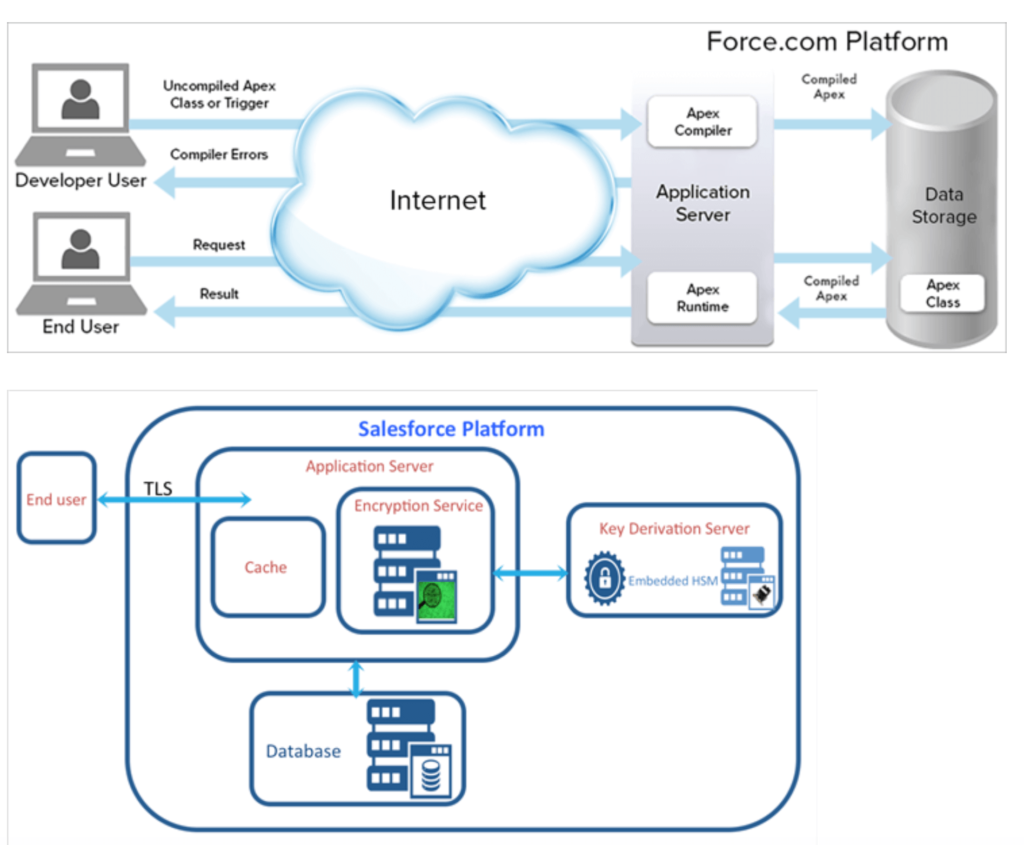
Salesforce Procedural Architecture
5.EngageBay
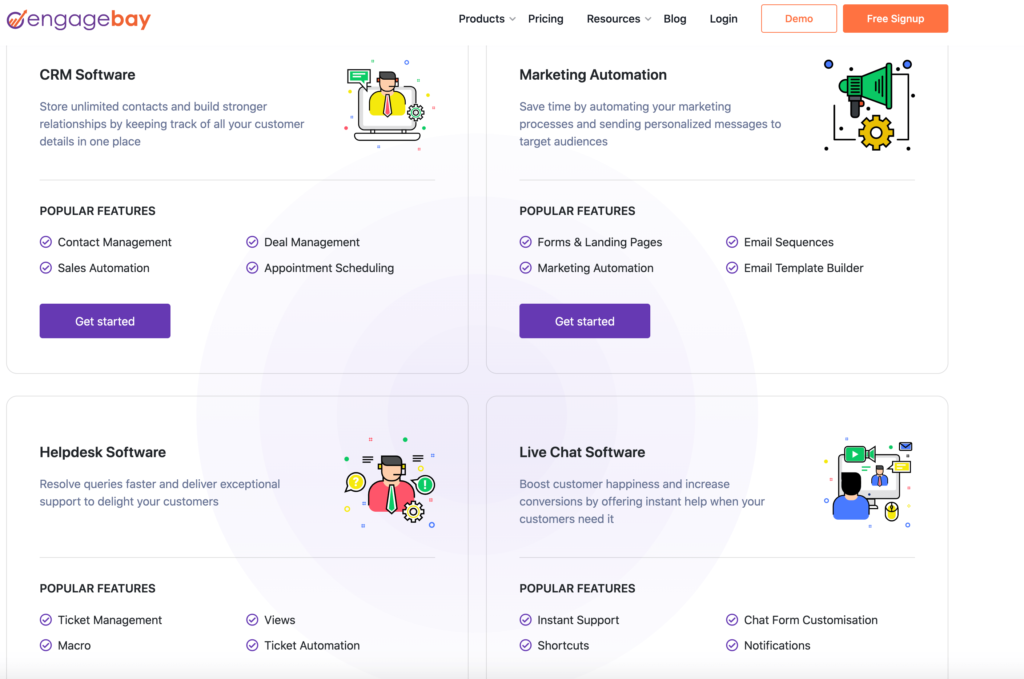
EngageBay has a free Cloud Based CRM system for essential contact organization and sales pipeline management, as well as paid marketing and service modules and all-in-one packages.
Price Range: $12 to $64 per user, per month
Features:
It logs every customer interaction like email with contacts directly into the CRM database and also lets you write emails or make calls from within the system.
It helps in publishing your calendar online for customers to pick dates for meetings or phone calls quickly and also get helpful follow-up reminders.
The seamless integration with Zapier, Mailgun, SendGrid,and more help streamline everything from business processes and transactional emails for invoicing and payment tracking.
Offers free migration of all your contact data from your previous Cloud Based CRM software.
EngageBayFeatures
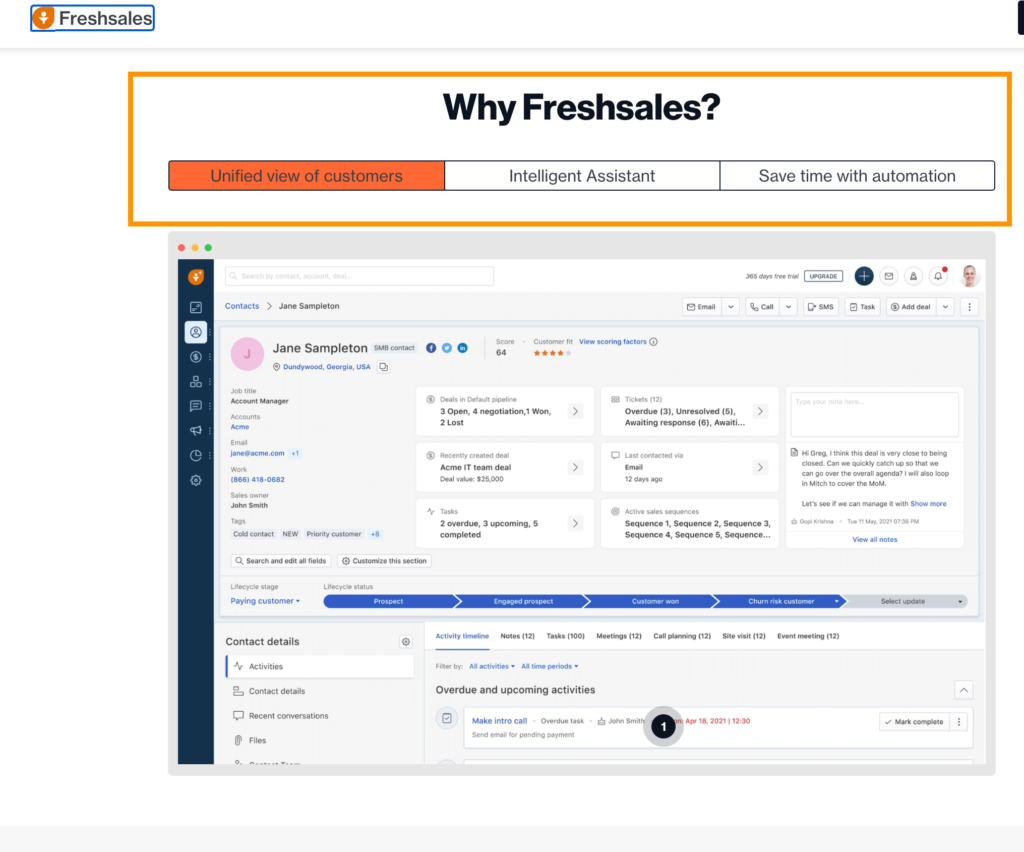
6. FreshworksCRM
Synergizing a stylish, refreshing interface with solid customer support, Freshworks CRM (formerly Freshsales) boasts an entirely cloud based CRM solution that also manages to deliver that all-important quality for growing businesses – affordability!!
Price Range: $15 to $69 per user, per month
Features:
Event Tracking
Create custom reports
Automated and Personalized Emails.
Respond to leads, analyze dashboards, etc., via the mobile app.
Built-in phone, chat, and email features.
7.SalesmateCRM
Salesmate is a CRM & customer journey platform with powerful features of call recording, call masking, voicemail drop, call transfers, etc.
You will be able to connect your sales and support inboxes to receive all the messages in one place. It helps you to deliver a five times faster and more exceptional customer experience. It contains the functionalities for automating business workflows.
Price Range: 12 to $40 per user, per month
Features:
Salesmate provides enterprise-grade security.
It is entirely customizable, and you can get the system started quickly.
It offers personalized support through one-on-one video, live chat, email, and phone.
It provides the solution with affordable pricing.
8. Agile CRM
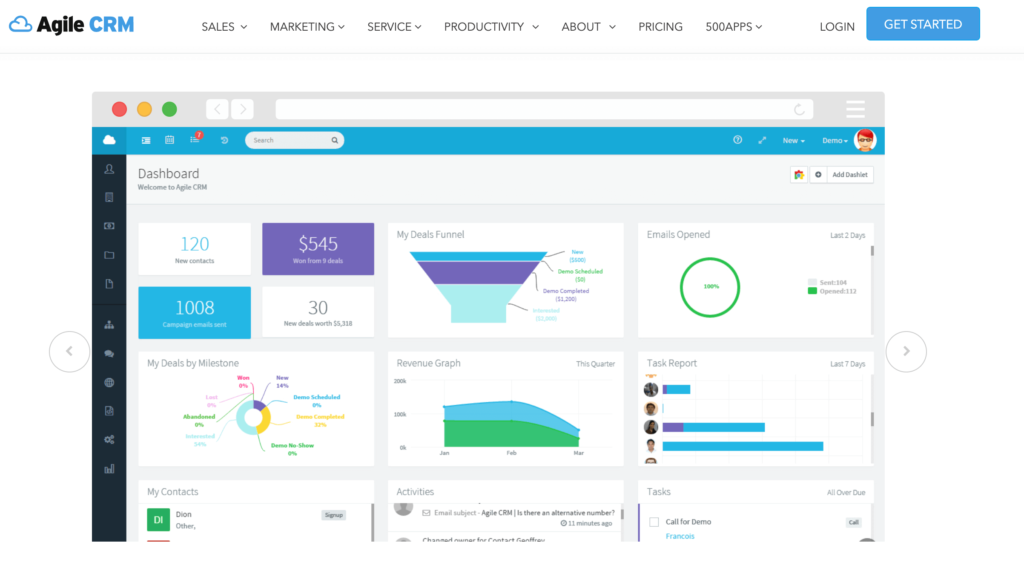
Agile CRMis easy-to-use software with advanced features and integrations. It combines sales and marketing features to deliver complete customer engagement and better selling.
Moreover, it boasts of features like appointment scheduling, email tracking, mobile tracking, marketing automation, project management, and telephony.
Price Range: 10 to $65 per user, per month
Features:
Hosted on the Google cloud, the platform prioritizes top speeds and good data encryption.
There is a considerable collection of seamless integrations, including social plugins for LinkedIn, Facebook and Twitter, as well as support, email, telephony, SMS and billing apps.
Agile CRM gives you an unlimited amount of deals, tasks, and documents, even with the free version.
Dashboard Representation of AgileCRM
9.Oracle NetSuite
Oracle NetSuite offers a cloud based CRM solution that provides a 360-degree view of your customers in real-time. It contains all the functionalities like sales order, fulfilment, renewal, upsell, cross-sell, etc.
Price: You can get a quote for pricing details. A free product tour is available.
Features:
Oracle NetSuite CRM will streamline lead-to-cash processes.
Your sales performance will get improved because of forecasting, upsell, and commission management.
You will be able to manage global sales and services organizations.
10. Pipedrive CRM
Pipedrive is a prevalent Customer Relation Management tool that was built for minimum input and maximum output.
The sole purpose of PIPEDRIVE is to make salespeople unstoppable. It helps to organize your business in such a manner that gives you a superb view of sales and thereby increases productivity. With PIPEDRIVE, we can improve all the workflows.
Price Range: 12 to $50 per user, per month
Features:
It has a promising sales pipeline and email integration.
It provides the setting of goals, contact history, API and mobile App.
It can be customized and supports multi-environment with 24*7 support.
It has good reporting, map integration, email tracking, data import, and export.
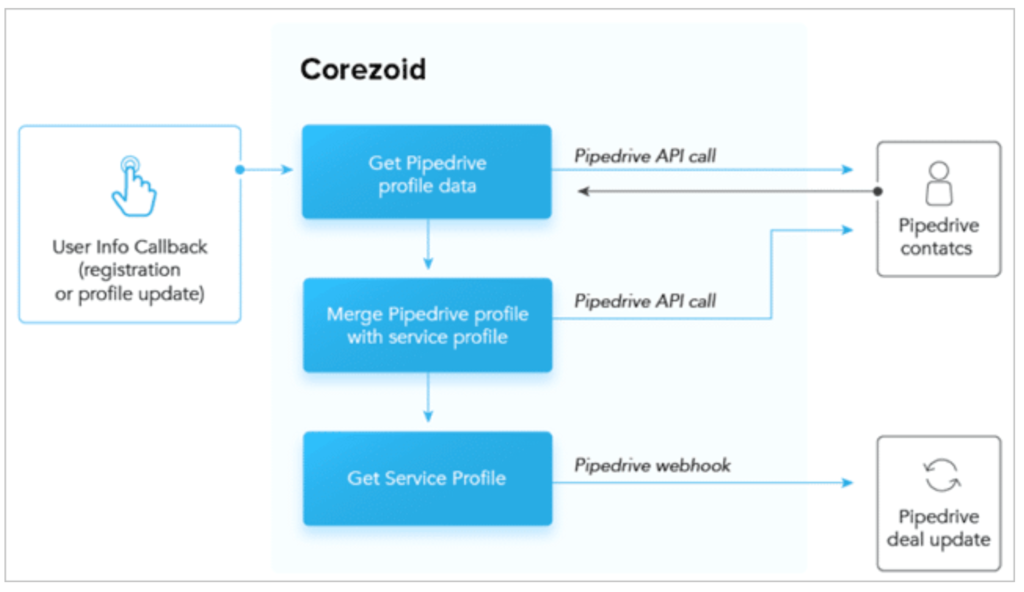
PipeDrive Architecture
There is certainly no single best cloud based CRM out there for all and everyone’s needs. So, the above list will help you find the CRM Software that best suits your business. If you’re still not sure which is right for your business, check out whether there are free trials with your top CRM options.
Agile is a project management approach that values adaptability, collaboration, and customer satisfaction. In the context of information technology, Agile is a set of principles and practices used to guide software development and delivery.
It has become one of the most popular methodologies for managing IT projects, and is used by teams of developers, product owners, and stakeholders to deliver high-quality software products in a fast-paced and ever-changing environment.
Here is the comprehensive guide for effective Agile project management.
The Agile Manifesto:4 core Values of Agile
Agile in IT is based on the Agile Manifesto, a set of principles for software development that was first published in 2001.
The Agile Manifesto consists of four values and twelve principles, which are intended to guide Agile teams in their work.
The 4 core values of Agile are:
Individuals and interactions over processes and tools
Working software over comprehensive documentation
Customer collaboration over contract negotiation
Responding to change over following a plan
4 core Values of Agile
The 12 principles of the Agile Manifesto include:
Prioritize customer satisfaction through continuous delivery of valuable software
Welcome changes to requirements, even late in the project
Deliver working software frequently, with a preference for shorter timescales
Work collaboratively with customers and stakeholders
Build projects around motivated individuals and give them the environment and support they need
Measure progress primarily through working software
Maintain a sustainable pace of work
Keep the team size small and collocated
Build projects using face-to-face communication as much as possible
Reflect regularly on how to become more effective, and adjust practices accordingly
Strive for technical excellence and good design
Simplicity is essential
Benefits of Agile in Information Technology
The Agile approach offers a number of benefits to IT teams and organizations. Some of the key benefits include:
Faster time to market: Agile teams are able to deliver software products faster and more frequently than traditional project management approaches.
Increased collaboration and teamwork: Agile emphasizes collaboration and communication among team members, which can lead to better teamwork and more efficient project delivery.
Better customer satisfaction: Agile teams are able to respond quickly to changes in customer requirements, and prioritize delivering value to the customer.
Improved quality: Agile teams are able to regularly deliver working software, which allows for more frequent testing and early detection of defects.
Conclusion
Agile is a project management approach that has become widely adopted in the field of information technology. It is based on the Agile Manifesto, which values adaptability, collaboration, and customer satisfaction.
The Agile approach offers a number of benefits, including faster time to market, increased collaboration and teamwork, better customer satisfaction, and improved quality.
In today’s digital landscape, having a strong online presence is crucial for businesses of all sizes. The HubSpot CMS Hub is a comprehensive, all-in-one platform that makes it easy to create, optimize, and automate your website, blog, and marketing campaigns. In this guide, we’ll walk you through the process of setting up the HubSpot CMS Hub with your website, so you can start reaping the benefits of this powerful platform.
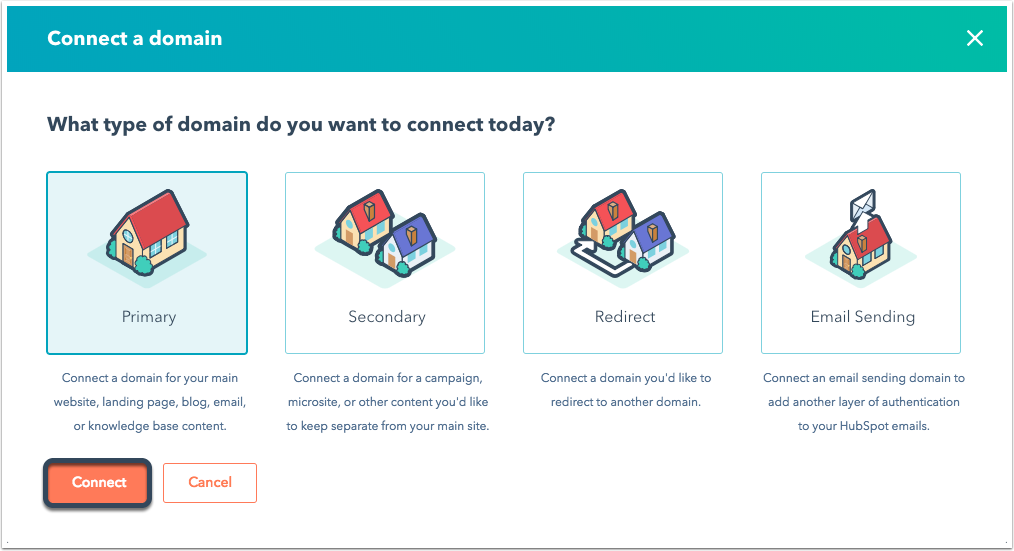
Step 1: Connect Your Domain
The first step in setting up the HubSpot CMS Hub with your website is to connect your domain. This can be done by updating your DNS settings to point to HubSpot’s servers, or by using a CNAME record to connect a subdomain. This will allow you to use your own custom domain name for your website, instead of a subdomain provided by Hubspot.
Connect Domain with HubSpot CMS HUB, Image reference: HubSpot
Step 2: Import Your Website
Once your domain is connected, you can import your existing website into the HubSpot CMS Hub. This can be done by using the platform’s import tool, which allows you to upload an HTML file or enter the URL of your existing website. This step is useful if you already have a website and want to move it to the Hubspot CMS.
Step 3: Customize Your Design
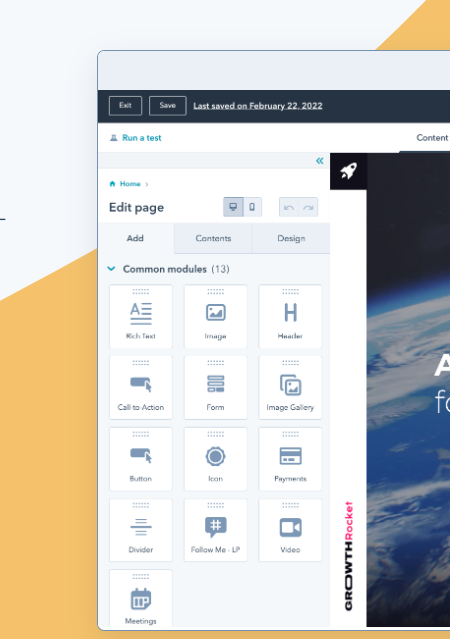
After your website has been imported, you can use the drag-and-drop website builder to customize the design and layout of your website.
You can choose from a range of customizable templates, or create your own design from scratch. This step is useful if you want to give a new look and feel to your website.
The HubSpot CMS Hub allows you to easily add and manage your website’s content, including pages, blog posts, and landing pages. You can also use the built-in SEO tools to optimize your content for search engines. This will help you to make sure your website’s content is search engine friendly.
Step 5: Connect Your Analytics
To track the performance of your website, you can connect your Google Analytics account to the HubSpot CMS Hub. This will allow you to view analytics data directly within the platform. This is useful if you want to track the performance of your website.
Step 6: Test and Publish
Before publishing the website, you can test your website design, content, and functionality by running a test on it. After that, you can publish the website to make it live. This step is crucial as it will make sure that your website is working correctly and there are no errors on it.
Step 7: Integrate with Other Tools
You can use Hubspot’s powerful integrations feature to connect your website with other tools such as CRM, email marketing, social media, and more. This will allow you to automate your marketing and streamline your processes, making it easier to manage your website and online presence.
Conclusion
The HubSpot CMS Hub is a powerful, all-in-one platform that makes it easy to create, optimize, and automate your website, blog, and marketing campaigns. By following this guide, you’ll be able to set up the HubSpot CMS Hub with your website
As an avid reader, have you ever struggled with carrying around a bulky book in your bag or wondered how to keep your favorite novels organized and easily accessible? If so, a Kindle may be the solution you’re looking for. In this blog, we’ll explore the benefits of owning a Kindle in 2023 and why it’s worth investing in one.
What exactly is Kindle?
Kindle is an electronic device designed and manufactured by Amazon for reading books, newspapers, magazines, and other digital media. It uses an electronic paper display for a comfortable reading experience, even in bright sunlight, and has features such as adjustable text size, storage for a large number of books, and long battery life.
Types of Kindle Devices:
Kindle Devices
There are several different types of Kindle devices available, including:
Kindle: The standard Kindle is a basic e-reader with adjustable text size, built-in lighting, and long battery life.
Kindle Paperwhite: The Kindle Paperwhite has a higher resolution display and is waterproof, making it ideal for use in various environments and conditions.
Kindle Oasis: The Kindle Oasis is a premium e-reader with a high-resolution display, built-in lighting, and a ergonomic design for comfortable one-handed use.
Kindle for Kids: The Kindle for Kids is a child-friendly version of the standard Kindle, with features such as parental controls, a protective cover, and a two-year warranty.
Kindle DX: The Kindle DX is an older version of the Kindle with a large display, ideal for reading newspapers and textbooks.
Kindle Fire: The Kindle Fire is a tablet device that runs on the Android operating system, with access to the Amazon Appstore and the ability to read Kindle books, in addition to other features such as browsing the web, playing games, and streaming video content.
Benefits of Buying Kindle
Convenient reading: Kindles offer a convenient and immersive reading experience, allowing users to carry thousands of books with them wherever they go.
Adjustable text size and lighting: Kindle devices have adjustable text size and built-in lighting, making it easy to read in any lighting conditions.
Large selection of books: Kindle devices have access to the Amazon Kindle Store, which has a large selection of books, magazines, newspapers, and other digital media.
Portability: Kindles are lightweight and compact, making them easy to carry and use on the go.
Long battery life: Kindle devices have long battery life, lasting for weeks on a single charge, depending on usage.
Cost-effective: Kindle devices and books can be a cost-effective alternative to purchasing physical books.
Well, these are all advantages of owning a kindle. Now let’s some limitations.
Disadvantages of Buying Kindle
Limited offline functionality: Kindle devices require an internet connection to download books and access certain features, making it difficult to use in areas with limited or no internet access.
Single-purpose device: Kindle devices are primarily designed for reading books, which some users may find limiting compared to multi-functional devices like smartphones and tablets.
Dependence on Amazon’s ecosystem: Kindle devices and the books available on the Kindle Store are tied to Amazon’s ecosystem, which some users may not find appealing.
Cost: While Kindle devices can be cost-effective compared to purchasing physical books, the devices themselves can be expensive compared to other e-readers or tablet devices.
Potential for technical issues: As with any electronic device, Kindle devices can experience technical issues, which may require repair or replacement.
Lack of physical books: Some users may miss the experience of physically holding and reading a book.
Conclusion
In conclusion, owning a Kindle in 2023 offers a convenient, portable, and cost-effective solution for avid readers. With adjustable text size and lighting, a large selection of books, and long battery life, a Kindle is the perfect companion for your next reading adventure. Although some limitations are there, but if you have got a passion for read, then don’t think twice to invest in Kindle.
If you’re a frequent traveler, a busy professional, or simply someone who loves to read, a Kindle is a must-have device in 2023. So why wait? Invest in a Kindle today and enjoy the benefits of convenient and portable reading.
Generating backlinks is an important part of a successful SEO strategy. Backlinks are links from other websites that point to your website, and they are crucial for boosting your website’s visibility and credibility in search engine results pages (SERPs).
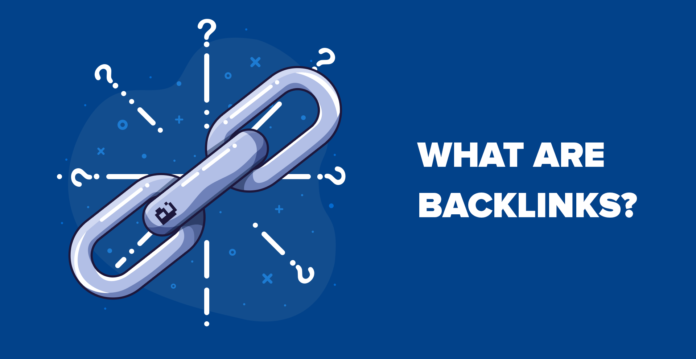
What are Backlinks ?
Backlinks, also known as incoming links, inbound links, or inward links, are links from other websites that point to a specific page on your website. They are an important factor in determining the ranking and visibility of a website in search engine results. The more high-quality backlinks a website has, the more likely it is to rank higher in search results and attract more traffic. Having a strong backlink profile can help establish a website’s credibility and authority in its niche, and can also drive referral traffic to the website.
What are Backlinks?
How To Generate Backlinks for Your Website
Here are some ways you can generate backlinks for your website:
Create high-quality, relevant content: The most important factor in generating backlinks is having great content that people want to link to.
If you’re consistently publishing high-quality, informative blog posts, guides, and resources, other websites will naturally start linking to your content.
Reach out to other websites: Another way to generate backlinks is to reach out to other websites in your niche and request that they link to your content.
This can be done through email outreach, social media, or by leaving comments on related blog posts.
Guest posting: Guest posting is when you write an article for another website in your niche, and you include a link back to your own website in the article. This is a great way to get backlinks from authoritative websites in your niche.
Directory submissions: Submitting your website to directories such as DMOZ and Yahoo Directory can also generate backlinks.
Make use of infographics: Infographics are a great way to get people to link back to your website. By creating eye-catching and informative infographics and sharing them on social media, you can get people to link back to your website.
Participate in forums and discussion boards: Participating in forums and discussion boards in your niche can also generate backlinks. By providing valuable insights and contributing to discussions, you can get other members to link back to your website.
Collaborate with other websites: Collaborating with other websites in your niche can also generate backlinks. For example, you can write a guest post for their website in exchange for them writing a guest post for your website.
Get involved with social media: Social media is a great way to get people to link back to your website. By actively engaging with your followers and sharing high-quality content, you can get people to link back to your website.
Remember that generating backlinks is a long-term strategy, and it’s important to focus on creating high-quality, relevant content that people want to link to.
Avoid using any unethical tactics, such as purchasing links or engaging in link schemes, as these can harm your website’s reputation and ranking.
Tools that Can Help you Generate Backlinks
Here is the list of some backlink-generating tools that you can use to help improve your website’s search engine ranking:
Keep in mind that building quality backlinks is a long-term strategy and it is important to use these tools ethically and in compliance with Google’s guidelines for building backlinks.
Conclusion
Generating backlinks is a crucial aspect of SEO as it helps to improve your website’s visibility, authority, and credibility in search engine rankings.
There are various tactics you can use to acquire backlinks, such as creating high-quality content that naturally attracts links, reaching out to websites in your industry for link exchanges or guest posting, using broken link building to identify and replace dead links with your own, and leveraging social media and networking opportunities to promote your content and gain visibility.
It’s important to focus on building backlinks from reputable and relevant sources, and avoid using any unethical tactics such as buying links or participating in link schemes, as these can harm your website’s reputation and cause penalties from search engines.