Home Blog Page 5

Create SEO Friendly Blogs for Business: Tips and Strategies for Improved SERP Rankings

0
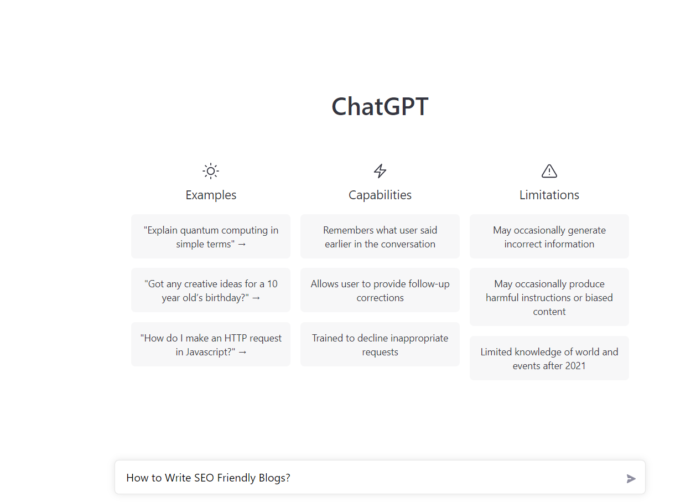
Surprising Results on Asking ChatGPT for SEO Friendly Blogs

Sure, here is a basic format for a SEO friendly blogs for business blogs:

  1. Add a Title: Use a catchy and informative title that includes relevant keywords.
  2. Blog Introduction: Begin with an introduction that briefly summarizes the main topic of the blog post and hooks the reader in.
  3. Use Headings and subheadings: Use H1, H2, and H3 headings to structure the content and make it easy to read. Use keywords in the headings and subheadings.
  4. Body: Include high-quality, informative content that is relevant to the reader. Use keywords throughout the body, but avoid keyword stuffing. Use images, videos, and other multimedia to break up the text and make the content more engaging.
  5. Conclusion: Summarize the main points of the blog post and include a call to action, such as signing up for a newsletter or contacting the business.
  6. Meta Description: Write a meta description that is concise and includes relevant keywords. This will be used as the snippet when your blog appears on SERP.
  7. Use Internal and External links in a Blog: Use internal and external links to provide additional information and resources for the reader.
  8. Optimize images and videos: Optimize images and videos by compressing them and using descriptive, keyword-rich file names and alt tags.
  9. Schema Markup: Use schema markup to help search engines understand the structure of your content and display rich snippets in the SERP
  10. Share on Social Media: Share your blog post on social media to help increase visibility and drive traffic to your website.

Remember, SEO is an ongoing process and you need to regularly monitor and update your blog post to keep it relevant and improve its ranking on SERP.

Key Definitions That You Should Understand

What is Meta Description?

A meta description is a brief summary of a webpage’s content that is intended to give users an idea of what the page is about. It is typically between 150-160 characters long and is placed in the HTML code of the webpage, within a “meta” tag, like this:

<meta name="description" content="This is an example of a meta description">

The meta description appears in the HTML source code of a webpage, but it is also visible to users in the form of a snippet under the title of the webpage in the Search Engine Results Pages (SERPs).

What is Meta Description Example
Meta Description Example

Meta descriptions are used by search engines to understand the content of the page and to determine whether the page is relevant to a user’s query. They also help users decide which search result to click on by providing a brief summary of the content.

It’s important to write unique, compelling and relevant meta descriptions for each page, as it can help to improve click-through rate (CTR) from SERP, which in turn can improve your visibility and ranking on SERP.

How to write a Meta description on WordPress blog?

In WordPress, you can add a meta description to your blog post by editing the post in the “Text” view of the editor. The meta description is typically added in the “head” section of the HTML code, and it should be placed within the “meta” tags, like this:

<head>
  <meta name="description" content="Your meta description goes here">
  ...
</head>

You can also use the Yoast SEO plugin or any other SEO plugin, which allows you to add a meta description to your blog post directly in the WordPress editor, without having to edit the HTML code.

In Yoast SEO plugin, you can find the option to write Meta description in the bottom of the editor, where you can see a section “Yoast SEO” . click on that you can find a snippet editor where you can write the meta description, Meta title, and focus keyword.

It’s always a good practice to write a unique meta description for each post as it helps to increase the click-through rate (CTR) and improve the visibility of your blog post on SERP.

What is Schema Markup?

Schema markup is a type of microdata that is added to a webpage’s HTML code to help search engines understand the content of the page. It is a standardized format for providing information about a page and its content, such as the page’s title, author, date of publication, and more.

Schema markup is used to create rich snippets, which are the additional information that appears under the page’s title and URL in the search engine results page (SERP). Rich snippets can include things like images, ratings, and reviews, making it more eye-catching and informative than regular snippets.

There are many different types of schema markup, including:

  • Article schema, for marking up news articles and blog posts
  • Product schema, for marking up products on e-commerce websites
  • Review schema, for marking up reviews and ratings
  • Event schema, for marking up events
  • Organization schema, for marking up information about an organization
  • Person schema, for marking up information about a person.

By using schema markup, you can help search engines understand the content of your webpage better, and can also provide users with more information about your webpage, which can increase the chances of them clicking through to your site.

You can use tools like Google’s Structured Data Markup Helper or Schema.org to generate the schema markup code for your webpage, and then add it to your website’s HTML code.

Conclusion

In conclusion, SEO is the process of optimizing a website or web page in order to improve its visibility and ranking on search engine results pages (SERPs) like Google, Bing, and Yahoo. To increase the chances of your blog post ranking well on SERP, you should follow some best practices for SEO like:

  • Use keywords in the title, headings, and throughout the body of the post
  • Create high-quality, informative content that is relevant to the user
  • Build backlinks to the website from other reputable sites
  • Optimize the website’s meta tags, images, and other elements
  • Make sure the website is mobile-friendly and loads quickly
  • Improve the overall user experience
  • Use internal and external links
  • Use schema markup
  • Optimize images and videos
  • Share your blog post on social media

Also, a Meta Description is a brief summary of a webpage’s content that is intended to give users an idea of what the page is about. It is typically between 150-160 characters long and is placed in the HTML code of the webpage, within a “meta” tag. A meta description is also visible to users in the form of a snippet under the title of the webpage in the Search Engine Results Pages (SERPs).

Finally, Schema Markup is a type of microdata that is added to a webpage’s HTML code to help search engines understand the content of the page. It is a standardized format for providing information about a page and its content, such as the page’s title, author, date of publication, and more. Schema markup is used to create rich snippets, which are the additional information that appears under the page’s title and URL in the search engine results page (SERP).

In summary, using the above tips and strategies, you can improve your website’s visibility and ranking on SERP, and also provide more information about your webpage to the users.
I Wish, I Knew This Before! Blog Writing| Ranking on Google Is So Easy !!!

0
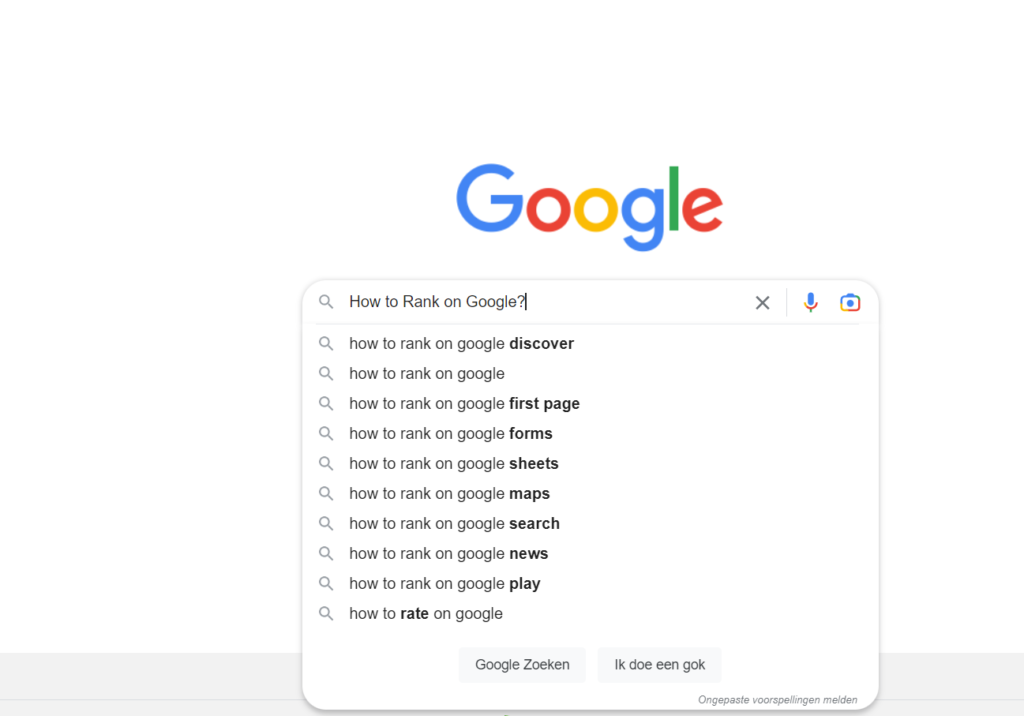
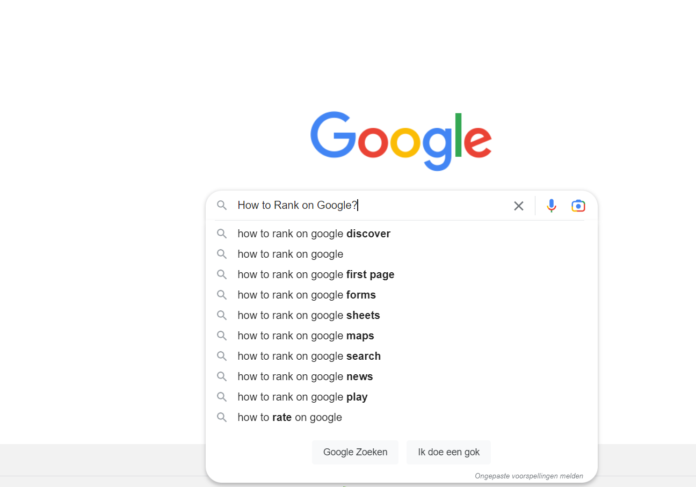
How to Rank on Google?

I can certainly help you write a blog post that has the potential to rank well on Google, but there is no guarantee that it will rank. Google’s algorithm is constantly changing and there are many factors that go into determining a webpage’s ranking, such as the relevance and quality of the content, the number and quality of backlinks, and the overall user experience.

What is SEO “Search Engine Optimization”

what is SEO blog writing
What is SEO

SEO stands for “Search Engine Optimization.” It is the process of optimizing a website or web page in order to improve its visibility and ranking on search engine results pages (SERPs) like Google, Bing, Yahoo etc.

There are many different techniques and strategies that can be used to optimize a website for search engines, but some of the most common include:

  • Using keywords in the title, headings, and throughout the body of the webpage
  • Creating high-quality, informative content that is relevant to the user
  • Building backlinks to the website from other reputable sites
  • Optimizing the website’s meta tags, images, and other elements
  • Making sure the website is mobile-friendly and loads quickly
  • Improving the overall user experience

SEO is an ongoing process, as search engine algorithms are constantly changing. Therefore, it is important to stay up-to-date with the latest best practices and trends in order to achieve and maintain a high ranking on SERPs.

How to Rank on Google?

How to Rank on Google?

To increase the chances of your blog post ranking well on Google, you should follow some best practices for SEO (Search Engine Optimization).

Here are a few tips:

  • Use keywords in the title, headings, and throughout the body of the post. But don’t stuff keywords, it’s not good for SEO
  • Use alt tags for images
  • Make sure your blog post is well-written and informative.
  • Use internal and external links
  • Use schema markup
  • Make sure your blog post is easy to read and navigate
  • Optimize the loading speed of your blog post
  • Use social media to promote your blog post
  • Regularly update and maintain your website

It’s important to note that SEO is a long-term strategy and results may take time to show up.

12 Common Google Ads Terminology You Should Know About

0

The vernacular of Google Ads Terminology can be pretty daunting. If you’re like most small business marketers, you’ve got a lot of stuff on your to-do list – and figuring out this maze of PPC, CTR and Impressions doesn’t rank high on your priorities. Google Adwords has become very crucial for your business and you need to keep up with it.

12 Common Google Ads Terminology You Should Know About

Here’s a short glossary of 12 Google AdWords terms you need to know, to get you started and increase your conversion rates with your paid campaigns.

These common terms will help you set up, manage, and optimize your Google Ads. Some of these are specific to Google Ads, while others are generally related to PPC. Either way, you’ll need to know these to run an effective ad campaign.

1. AdRank

Your AdRank determines your ad placement. The higher the value, the better you’ll rank, the more eyes will fall on your ad, and the higher the probability of users clicking your ad. Your AdRank is determined by your maximum bid multiplied by your Quality Score.

2. Bidding

Google Ads is based on a bidding system, where you, as the advertiser, select a maximum bid amount you’re willing to pay for a click on your ad. The higher your bid, the better your placement. You have three options for bidding: CPC, CPM, or CPE.

  • CPC, or cost-per-click, is the amount you pay for each click on your ad.
  • CPM, or cost per mille, is the amount you pay for one thousand ad impressions; that is when your ad is shown to a thousand people.
  • CPE, or cost per engagement, is the amount you pay when someone takes a predetermined action with your ad.

And, yes, we’ll review bidding strategies below.

3. Campaign Type

Before you begin a paid campaign on Google Ads, you’ll select between seven campaign types: search, display, video, shopping, app, smart, or performance max.

  • Search ads are text ads that are displayed among search results on a Google results page.
  • Display ads are typically image-based and are shown on web pages within the Google Display Network.
  • Video ads are between six and 15 seconds and appear on YouTube.
  • Shopping campaigns appear on search results and the Google shopping tab.
  • App campaigns use information from your app to optimize ads across websites.
  • Smart campaigns have Google finding the best targeting to get you the most bang for your buck.
  • Performance Max is a new campaign type that lets advertisers access all Google Ads inventory from a single campaign.

4. Click-Through Rate (CTR)

Your CTR is the number of clicks you get on your ad as a proportion of the number of views your ad gets. A higher CTR indicates a quality ad matching search intent and targeting relevant keywords.

Google Ads Terminology

5. Conversion Rate (CVR)

CVR is a measure of form submissions as a proportion of total visits to your landing page. Simplistically speaking, a high CVR means that your landing page presents a seamless user experience that matches the ad’s promise.

6. Display Network

Google ads can be displayed on either search results pages or a web page within Google’s Display Network (GDN). GDN is a network of websites that allow space on their web pages for Google Ads — these ads can be text- or image-based and are displayed alongside content relevant to your target keywords. The most popular Display Ad options are Google Shopping and app campaigns.

7. Extensions

Ad extensions are extra information about your business, such as your local address, phone number, and even coupons or additional websites. They’re what shows up in blue below your ad descriptions. These extensions fall under one of five categories: Sitelink, Call, Location, Offer, or App; we’ll cover each of these ad extensions below.

If you want to know Google Ads Terminology, you can also go through Google’s own  AdWords Glossary.

8. Keywords

When a Google user types a query into the search field, Google returns a range of results that match the searcher’s intent. Keywords are words or phrases that align with what a searcher wants and will satisfy their query. You select keywords based on which queries you want to display your ad alongside. For example, a searcher that types “how to clean gum off shoes” will see results for advertisers that targeted keywords like “gum on shoes” and “clean shoes.”

Negative keywords are a list of keyword terms that you do not want to rank for. Google will pull you from the bid on these keywords. Typically, these are semi-related to your intended search terms but fall outside of the realm of what you offer or want to rank for.

 9. Billing Threshold

Your billing threshold is the level of spending that triggers a charge to you for the ad costs. It applies to automatic payments, and the threshold level starts at $50. It you reach that within 30 days, you’ll be billed, and your threshold then raises to $100 and so on.

10. Pay-per-click (PPC)

Pay-per-click, or PPC, is a type of advertising where the advertiser pays per click on an ad. PPC is not specific to Google Ads, but it is the most common type of paid campaign. It’s important to understand the ins and outs of PPC before launching your first Google Ads campaign.

11. Quality Score (QS)

Your Quality Score measures the quality of your ad by your click-through rate (CTR), the relevance of your keywords, the quality of your landing page, and your past performance on the SERPs. QS is a determining factor in your AdRank.

12. Split Testing

Split testing includes A/B and multivariate testing. It’s a method of controlled marketing experiments with the goal being to improve your objective results (such as higher CTR’s, increased conversion or even better Ad Ranking).

There it is – all the basic terms you need to get started with Google AdWords. Now you can talk like a pro!

To Learn basics about Google Ads, checkout out blog on What is Google Ads? How does Google Ads Work and its Benefits?

What is Google Ads? How does Google Ads Work and its Benefits?

0

Digital advertising helps e-commerce platforms reach as many customers as possible. You have many ways to engage with prospective buyers and drive them to your site; one method that can be particularly effective for e-commerce stores is Google Ads.

What is Google Ads?

AdWords is an advertising system Google developed to help businesses reach online target markets through its search engine platform and partner sites. These partner sites host a text or image ad that appears on the page after a user searches for keywords and phrases related to a business and its products or services. On Google.com, AdWords ads typically appear in specific locations at the top and right-hand side of a search results page.

You can choose keywords related to your brand, products, services and industry for your Google Ads account. When customers search for these phrases, your store’s ad will be served to them. You only pay when a user clicks on your ad and visits your website or calls your business using “click to call.”

Why advertise on Google?

Google is the most used search engine, receiving over 5 billion search queries daily. Not to mention, the Google Adwords platform has been around for nearly two decades, giving it some seniority and authority in paid advertising.

Google is a resource used by people worldwide to ask questions answered with a combination of paid advertisements and organic results.

Need another reason? Your competitors are using Google Ads (and they might even be bidding on your branded terms).

Hundreds of thousands of companies use Google Ads to promote their businesses, which means that even if you’re ranking organically for a search term, your results are being pushed down the page beneath your competitors.

How does Google AdWords Benefit Businesses?

The two main ways Google Ad services can help your online retail business are by improving brand awareness and driving qualified traffic to your site. Other benefits of using AdWords include:

  • Customers associate certain keywords and phrases with your business
  • You can target with AdWords, meaning the ads follow a customer to other Google sites like YouTube and The New York Times – that improves conversion and reduces cost-per-click.
  • You have the flexibility to determine which sites host your ads
  • Focus on your target market by honing in on certain regions and cities
  • AdWords identifies who is searching for your products
  • AdWords reminds customers of what they previously searched for, keeping your brand top of mind
  • AdWords helps you optimize current campaigns and leverage results for improved overall success.
google ads

How Google Ads work

Google Ads operates under a pay-per-click (PPC) model. That means marketers target a specific keyword on Google and make bids on the keyword — competing with others also targeting the keyword.

The bids you make are “maximum bids” — or the maximum you’re willing to pay for an ad.

For example, if your maximum bid is $4 and Google determines that your cost per click is $2, then you get that ad placement! If they determine that it’s more than $4, you do not get the ad placement.

Alternatively, you can set a maximum daily budget for your ad. You’ll never spend more than a specific amount for that ad per day, helping you get a better sense of how much you should budget for your google ads campaign.

Marketers have three options for their bids:

  1. Cost-per-click (CPC). How much you pay when a user clicks on your ad.
  2. Cost-per-mille (CPM). How much you pay per 1000 ad impressions.
  3. Cost-per-engagement (CPE). How much you pay when a user performs a specific action on your ad (signs up for a list, watch a video, etc).

Google then takes the bid amount and pairs it with an assessment of your ad called a Quality Score. According to Google:

“Quality Score is an estimate of the quality of your ads, keywords, and landing pages. Higher quality ads can lead to lower prices and better ad positions.”

The score number is between 1 and 10 — with 10 being the best score. The higher your score is the better you’ll rank and the less you have to spend converting.

Your Quality Score combined with your bid amount creates your Ad Rank — the position your ad will appear in the search results page. And when a user sees the ad and clicks on it, the marketer pays a small fee for that click (thus pay-per-click).

Also Read: How to access Facebook Ads Manager in 2022?

Top 8 Free Online Audio-to-Text Converters

0

Recent advances in speech recognition have led to new online audio to text converters, which have eased up the lives of many. Let’s have a look at some of the best online audio-to-text converters that might be of use to you.

What is Audio-to-Text Converter?

Online audio-to-text converters are tools that can convert audio files to texts or even record any audio and produce the text of it simultaneously. Audio files are one of the most used methods of storing information. From online classes and long lectures to big business meetings and product information, audio is being shared a lot across the world.

But accessing information from a long audio file can be difficult and time-consuming, which is why there is a need to convert audio to text. Information in the form of text can easily be fully or partly accessed and edited whenever needed. And texts can also easily be shared with whomever you want.

Top 8 Free Online Audio-to-Text Converters

Here’s the lis of Top 8 Free Online Audio-to-Text Converters:

1. IBM Watson Transcribe Audio Demo

IBM offers an online Demo version of its Speech to Text service. You can access it at the IBM Watson website.

IBM Watson features speech recognition capabilities in English, Spanish, French, Portuguese, German, Japanese, Korean, Mandarin and Arabic.

In the demo version, you can input audio by:

  • Using your microphone.
  • Uploading a prerecorded audio file in MP3, MPEG, WAV, FLAC or OPUS.

The Demo also features two sample audio files that you can play. This way you can see for yourself the capabilities of IBM Watson transcribe.

It supports a feature known as “keywords to spot,” which allows you to flag specific keywords in the transcribed Text.

Speech to Text Service
IBM Watson Speech to Text Service

2. Audext

Audext is among free online audio-to-text converters that can help you to save a lot of time while transcribing any audio to text. The transcription to text is done with the use of an advanced AI and hence produces faster and more accurate results.

Audext is used by people from different sectors like education, marketing, media, consulting, healthcare, etc. for their work purposes.

Features

  • An inbuilt editor for editing the text while transcribing
  • Identifies the speaker easily
  • Supports a variety of audio and video formats like MP3, WAV, MP4, etc.
  • Offers an option of easy upload and export of files
online audio to text converter

3. Bear File Online Audio-to-Text Converters

The Bear File Converter is an MP3 to text converter online tool. It supports MP3, WAV, OGG, WMA and more file formats.

It was originally developed with CMU Sphinx, a speech recognition toolkit from CMU. Since 2017, it also supports the Baidu audio recognition engine.

To use the tool, upload the audio file, click convert, and then download the text file. Maximum file upload cannot exceed 3 Mb. Converting a 1 Mb size MP3 file may take approximately 45 seconds.

Note: At the moment, the Bear File Converter only supports voice audio recognition in English.

Dictation.io

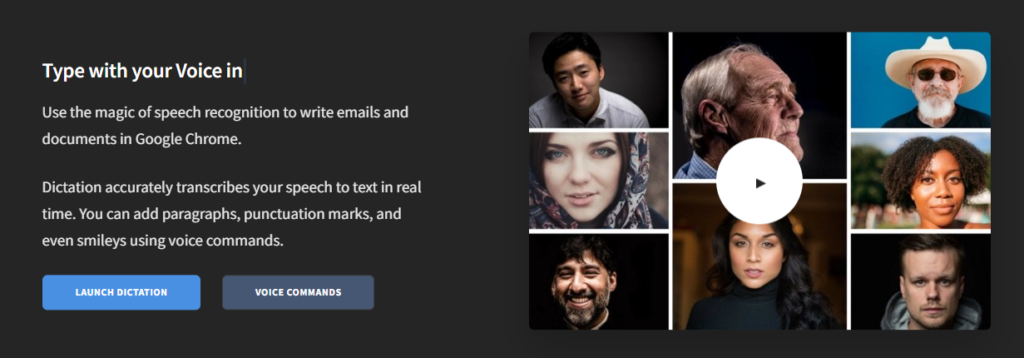
Dictation is a free and simple tool that offers fast conversion of audio to text. Its interface is like that of a very simple notepad and allows the conversion of audio to text for a number of languages including English, Español, Français, Italiano, Português, and more.

Features

  • Advanced speech recognition
  • Easy editing within the notes
  • Easy sharing to mail, tweets, etc.
  • No storing of any data and hence offers the necessary security

5. 360 Audio to Text Converter

360 Converter is an online tool for mp3 to text automated transcription. You can upload your file from your computer, URL or even a Cloud address (such as Google Drive or Dropbox).

We wrote an in-depth blog post on how to use 360. Check out our 360 converter audio to text how-to.

It supports conversions of audio in English, French, Chinese and Hindi.

6. SpeechTexter

SpeechTexter is a multilingual application that can help you transcribe any type of book, document, blog posts, etc. by using your audio. This tool has a custom dictionary that allows adding short commands for adding frequently used data like phone numbers, punctuation marks, addresses, etc.

Features

  • Offers accuracy rate of 90 to 95% percent
  • Can be used to increase your fluency in English
  • Offers powerful real-time speech recognition
  • Easy creation of emails, text notes, blog posts, etc.
  • A custom dictionary that can be customized according to the individual use
  • Supports more than 60 languages
  • Available on both chrome browser and android
online audio to text converter

7. Virtualspeech

Virtualspeech is one of the best among online audio-to-text converters, free to use for audio files under 1 minute.

Process:

  • It supports mp3, wav or ogg audio file formats.
  • To convert a file, you need to enter an email address to receive your converted text file.
  • You must select a file from your hard drive to begin the upload process.
  • Virtualspeech checks if your file is shorter than 60 seconds, enabling the convert file button.
  • Virtualspeech converts the file and emails it to you.
  • It may take some time before it converts and emails the file to you (5-10 minutes).

8. Speechnotes

Speechnotes is a powerful online notepad that can easily convert audio to text. This tool has implemented an efficient and clean design that makes conversion and editing very easy.

Features

  • Best results with an advanced speech recognition technology
  • Built-in tools that allow easy editing and correction of the converted text
  • Fast working on any web browser and no installation apps required
  • Autosave feature that ensures that your data is not lost
  • Export to Google Drive option for easy accessibility from any device

Is manual transcription a big issue in your Business? Have you tried out any of these online audio-to-text converters? How was your experience? Tell us in the comments.

Also Read: Detailed Explanation About the 4 Mailchimp Pricing Plans

Popular Types of Online & Technology Tools in 2023

0

Online & technology tools play a crucial role in the modern internet era, as they help to increase efficiency, productivity, and communication, while also enabling new and innovative ways of doing things. Below we have listed different categories of most demanded online & technology tools.

TYPES OF ONLINE TOOLS

Here are a few types of online tools categories that are likely to continue to be popular and in demand in 2023 and near future:

  1. Collaboration and productivity tools, such as Microsoft Teams, Zoom, and Slack, which help remote teams work together effectively.
  2. Cloud-based storage and file-sharing services, such as Google Drive and Dropbox, which enable easy access to files from any device.
  3. Artificial intelligence and machine learning platforms, such as TensorFlow and PyTorch, which are used to build and train models for a wide range of applications.
  4. Cybersecurity solutions, such as multi-factor authentication, encryption, and security information and event management (SIEM) tools, which help protect against cyber threats.
  5. Social media management and marketing tools, such as Hootsuite and Sprout Social, which help businesses manage and analyze their social media presence.
  6. E-commerce Platforms, such as Shopify, Magento, and Bigcommerce build and manage their online store.
  7. Video and Animation tools, such as Canva, Adobe Spark, and Powtoon to create engaging video content.

TYPES OF TECHNOLOGY TOOLS

An Tech Nerd Using Laptop

  1. Virtual and augmented reality (VR/AR) tools, which are increasingly being used for training, education, and entertainment purposes.
  2. Blockchain technology, which is becoming increasingly popular for secure data storage and transactions.
  3. 5G networks, which will provide faster internet speeds and lower latency, enabling new applications and use cases.
  4. IoT (Internet of Things) Platforms, which will help organizations to connect and manage devices, sensors, and machines.
  5. Automation and AI-powered tools, which will continue to be important for businesses in various industries to increase efficiency, reduce costs, and improve decision-making.
  6. Cybersecurity tools and services, which will be in high demand to protect organizations and individuals from cyber threats.
  7. Digital twin technology, which will be increasingly used to model and simulate physical systems in various industries.
  8. AI Powered chatbots and digital assistants, which will be used to improve customer service and automate routine tasks.

Keep in mind that this is not an exhaustive list and new tools may emerge in the future.

Conclusion

In conclusion, there is a variety of online and technology tools that are likely to continue to be popular and in demand in 2023 and the near future.

These tools fall into several categories including collaboration and productivity tools, cloud-based storage and file-sharing services, artificial intelligence and machine learning platforms, cybersecurity solutions, social media management, and marketing tools, e-commerce platforms, video, and animation tools, virtual and augmented reality tools, blockchain technology, 5G networks, IoT platforms, automation and AI-powered tools, digital twin technology, and AI powered chatbots and digital assistants.

These tools are used by businesses and organizations to increase efficiency, productivity, and communication, while also enabling new and innovative ways of doing things.

Additionally, they help organizations protect against cyber threats, build and manage an online store, create engaging video content, and improve customer service and automate routine tasks. Keep in mind that this is not an exhaustive list and new tools may emerge in the future.

Greatest Data breaches of 2022, Which shocked the Post-Pandemic World, Beware!

0

With the arrival of new year 2023, one must not forget to take lessons from the past year. Lets see how Post-Pandemic World in 2022 witnessed a Surge in Cyber Attacks by a glimpse some of the greatest data breaches of 2022.

Covid-19 effects are not limited to health and the economy. The post-pandemic world in 2022 also reeled from a surge in cyberattacks and data breaches.

Cyberattacks in India tripled in the last three years. A recent report showed that government bodies in India suffered the highest number of cyberattacks, at 82 in 2022. The number was up eightfold over the previous year.

“Post-pandemic, lots of businesses have digitised, and there is increased use of technology. But security has not been thought about,” said Kanishk Gaur, a cybersecurity expert.

“People are not behind corporate firewalls since they are working remotely,” he added. “Security has not been a part of the design.” As a result, systems remain vulnerable,” Gaur explained to Business Standard.

Data breaches of 2022

Biggest Data Breaches of 2022

1. WhatsApp data leak

In one of the biggest data breaches ever, WhatsApp data of nearly half a billion users from 84 countries worldwide, including India, was breached and put up for sale online, according to a report by Cybernews.

2. Twitter hack

As Elon Musk went gaga over transforming Twitter, at least 5.4 million Twitter user records were stolen via an internal bug and leaked online on a hacker forum.

3. AIIMS Cyberattack

India’s top medical institute, AIIMS, came to a near-halt in November after a massive cyber attack derailed everyday work, appointments and registration, billing, and lab reports. The attack corrupted files and data on the main and backup servers of the hospital. According to reports, the data of millions of patients, including bureaucrats and politicians, was affected.

4. Indian Railway data breach

A hacker sold the personal information of nearly 30 million railway passengers on the dark web. These details included the name, email, phone number, gender, and other personal information of several government officials and notable personalities, among others, the hacker claimed.

5. Financial data of over 9 million cardholders leaked

Cybersecurity researchers said in October they discovered a massive leak involving over nine million cardholders’ financial data, including customers of the State Bank of India.

What can you do to protect yourself?

As an end user, it’s important that you change your user IDs and passwords frequently. “It’s important that you change your passwords once every 15 days,” according to Gaur.

Here are top 10 tips to protect yourself from cyberattacks

But most of us have unknowingly had our cyber safety threatened. Your personal information can be destroyed – or you can lose your savings, identity, livelihood or worse. The good news is, you can beat the scammers at their own game! Follow these 10 quick, easy ways and protect yourself today.

  1. Use online banking wisely.
  2. Mitigate cyber threats on mobile phones.
  3. Use Online gaming safely.
  4. Have knowledge of voice over internet protocol (VoIP) for making calls using a broadband connection through the telephone lines.
  5. Update your computer software regularly to reduce the risk.
  6. Use antivirus and anti-malware software to add a protection layer to your system.
  7.  Ensure that your payment gateway provider and any other third party connected to your site is safe.
  8. When you use the internet through a VPN, all your data traffic is sent through an encrypted virtual tunnel, so use VPN.
  9. Users should also build layers of security. For example, users can enable multi-factor authentication on WhatsApp, which safeguards their data.
  10. Phishing is a cyber attack that involves the use of camouflaged email. Be aware of phishing attack.

Read: Top 10 Best VPN Netherlands

Let us know if any of our tips were useful for you.

Latest News on YouTube Testing New Video Progress Bar for Android

0

Latest news on Youtube as it is reportedly testing a more subtle video progress bar that isn’t always red on Android.

Video-sharing platform YouTube is reportedly testing a more subtle video progress bar that isn’t always red on Android to enhance the YouTube user interface.

Several Android devices, including Incognito, are seeing the new white progress bar, reports 9To5Google.

Latest News on YouTube
Youtube Progress Bar

Latest News on YouTube

This only applies to dark themes and appears to be an effort to provide a less distracting YouTube user interface (UI).

When the dark theme is enabled while users are passively watching a video, the usual red colour of the platform’s progress bar is replaced by white or grey, the report said.

Meanwhile, in October, the video-sharing platform had announced a new update related to YouTube user interface that splits video content across all channel pages into three separate tabs for Shorts, live streams and long-form videos.

The update makes it easier for the viewers to discover the kinds of content they are most interested in when exploring a creator’s channel page.

Read More: Important Role of YouTube Proxies for Hassle Free Experience