You must have thought of marketing your business using various tactics. Out of a bunch of different ways of business promotion, email marketing has always been among the top scorers. Here we’ll introduce you to a very useful tool for email marketing, MailChimp and get you through Getting Started with Mailchimp.
What is Mailchimp and its Story So Far….
Mailchimp is a marketing automation platform and email marketing service. “Mailchimp” is the trade name of its operator, Rocket Science Group, an American company founded in 2001 by Ben Chestnut and Mark Armstrong, with Dan Kurzius joining at a later date.
Mailchimp began as a paid service and added a freemium option in 2009. Within a year, its user base had grown from 85,000 to 450,000.
In February 2019, Mailchimp acquired LemonStand, a smaller competitor. Mailchimp later announced its plans to shift from mail distribution to offering “a full marketing platform aimed at smaller organizations.” This shift includes allowing customers to record and track customer leads within the platform, build landing pages and websites, and run ad retargeting advertisements on Facebook and Instagram
Acquisition by Intuit Inc.
On September 13, 2021, Intuit confirmed it would acquire Mailchimp for a valuation of approximately $12 billion in cash and stock. On November 1, 2021, Intuit officially completed the acquisition for $5.7 billion in cash, $6.3 billion in common stock, and 573,000 restricted stock units.
Roadmap for Getting Started with Mailchimp
Here are different tasks you need to know for Getting Started with Mailchimp:
Set your Account Up
The first step to work with Mailchimp is to sign up for a Mailchimp account. Enter your name and email address, and you’ll receive an activation email. On receiving the activation email, click the link to activate your account.
The next time you log in to website, and it will walk you through the rest of the setup steps. Input profile details, such as your website and physical address, and connect your social media accounts. If you sell products online, you’ll have the option to connect your store to Mailchimp.
Select Your Audience
The foundation of great marketing is a clean, up-to-date record of your contacts, also known as your audience. When you create a Mailchimp account, it will use your setup details to automatically generate your audience for you. You can edit the default information for your audience if you need to, or immediately start adding contacts.
Mailchimp was designed so you should only need one audience. There are various Audience management tools so that you can organize and separate contacts. If you do decide to create another audience, keep in mind that data isn’t shared across audiences, and contacts who are in more than one audience will count separately towards your subscriber limit.
Check your target audience
Customize your Signup Form
If you don’t have any contacts yet, don’t worry! It will automatically generate a signup form for your audience, which you can post on your website or Facebook page, so you can start collecting contacts right away. Plus, it give you lots of options to customize the design of your signup form, so it’ll fit your brand.
Create Email Campaign
Next, you can craft your first email marketing campaign. A campaign is a message that you share through email, ads, or other channels so that your business can be promoted well. In Mailchimp, most users start with a regular email marketing campaign and which is an easy and efficient way to promote your business.
Check Campaign Reports
After sending the email, A key component of successful marketing is tracking audience engagement, so you can provide more of what your contacts want. When you login to Mailchimp after sending an email campaign, you’ll see how many contacts opened, clicked, or unsubscribed from your recent campaigns, right on your Dashboard. Click Reports for more detailed information, and to download, share, or print your campaign reports.
Mailchimp’s open- and click-tracking data tells you how many people looked at your campaign, which links they clicked, and other information, like their geolocation. Integrate your Google Analytics account with Mailchimp for more in-depth reporting.
These were just few uses of Mailchimp account just for Getting Started with Mailchimp. We’ll provide you with more information on how to use your Mailchimp account to your advantage. Stay tuned for more!!!
Canva has gained a lot of respect over the last few years. It is the favourite safe haven for non-designers who can create anything – from social media designs to landing page templates, apparel designs, etc.
In this article, we will focus on Canva alternatives for graphic design which are more or less accessible for non-designers.
Canva Logo
Top 7 Canva Alternatives for Graphic Design
Crello
Considered the best among canva alternatives for graphic design, Crello has a similar interface to Canva, with a quick search bar to locate thousands of templates and preset dimensions for specific designs like Facebook posts. Crello offers a free plan like Canva, but you are limited to five design downloads per month. You can add objects, set color palettes with the branding kit, and drag-and-drop items like objects and text boxes anywhere you want in the design module.
It offers different features:
More than 30,000 design templates for designers.
A rapid image cropping tool to cut out any section.
Beautiful photo filters to instantly change the look and feel of a design.
Image rotation and flipping.
Instant background removal that’s faster than most editors.
Slick design elements like shapes, stickers, and badges.
Pricing: It offers 2 plans which are as follows:
Starter – $0 for basic plan with five design downloads per month, a great number of video clips and animations.
Pro – $9.99 per month for unlimited downloads, all assets from the free plan, team collaboration, priority support, and tools to remove backgrounds.
Pixlr
Pixlr lets you create, edit and share images online with ease. Other than being one of the Canva alternatives, it is also an excellent alternative to Adobe Photoshop. But you don’t have to install anything to use this.
One of its very popular features is removing background for free. You won’t find many tools that do this. Other than that you can also use their templates, add fonts, textures, light streaks, dust flecks, and glitter to your photos.
Pricing: Free tool
Pixlr free photo editor
Adobe Express
Adobe Express also helps you create simple, responsive websites and short animated videos. The design tools inside the editor look simple at first, but are actually quite good under the surface. There’s curved text, interesting animations effects, clean icons and images from Adobe Stock.
What stands out in Adobe Spark is the branded stories feature. You add your main brand assets like logos, fonts and colors, and the tool creates a simple template collection just for your brand. Adobe Spark is best for people that want to create social media content easily and fast.
Pricing:
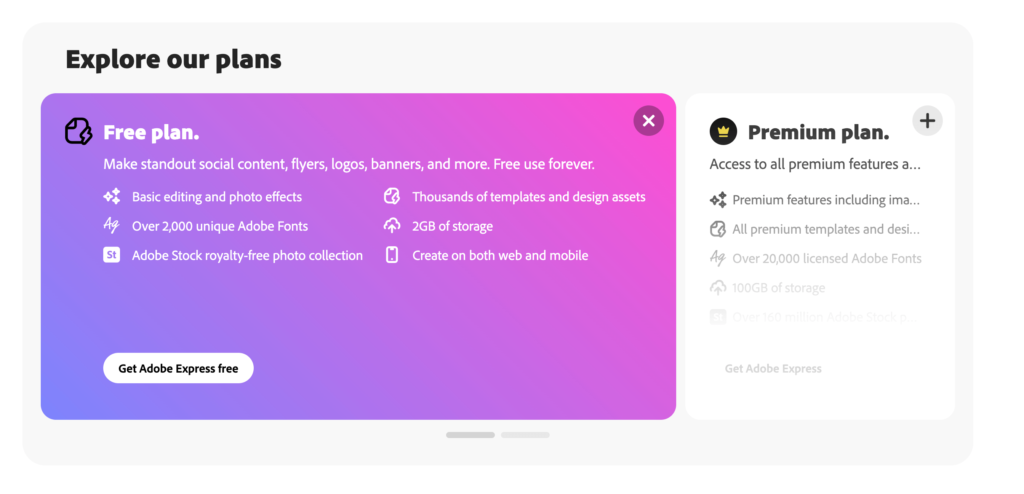
If you don’t have a subscription, there are three plans — one is free, and the other two are paid.
The paid plans are as follows:
Individual: $9.99/month
Team: $19.99/month
Adobe Express Plans
Animaker
This Canva alternative for graphic design is made for non-designers who want to create animation and live-action videos. Animaker lets its users make videos, short videos or GIFs, and edit live videos.
It features tons of professionally made templates and the largest collection of animated characters, properties, BGs, icons, images, videos and more.
Pricing: Free to download 5 videos/month with watermark.
Snappa
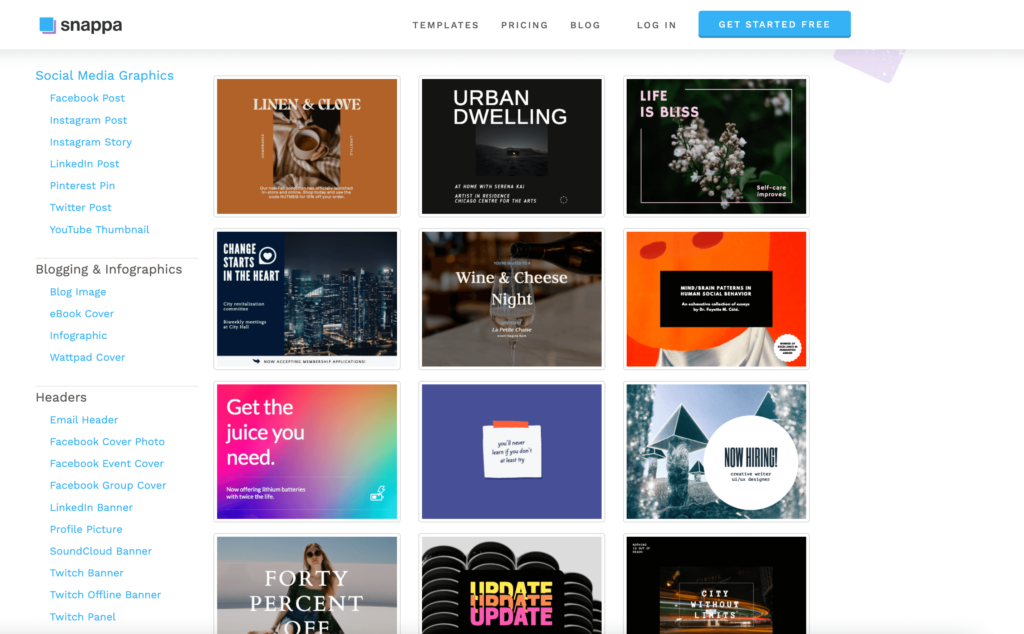
Snappa is a respected name in the field of graphic designing. It’s cloud-based which means you can access it as long as you have an internet connection. Because of its simplicity, businesses can create social media posts, advertisements, infographics, blog images, and so many other things. What we loved about Snappa is that you can access all of the resources offered by the app instantly – with the free plan. But there is a catch – you can only download 3 images a month.
Pricing: The standard monthly plan is $10/mo (Pro) if paid on an annual subscription, while the Team plan is $20/mo, and allows team access.
Snappa Templates
Stencil
Stencil is alightweight Canva alternative that makes it easy to create images for your website or social channels on the fly.
It has different browser extensions so you can easily highlight text or capture an image to pull it into your design creations, and it boasts more than 100,000 different quotes you can choose from to add to social media graphics.
But its best feature, is its WordPress plugin that allows you to edit your photos without leaving the blogging platform.
Visme
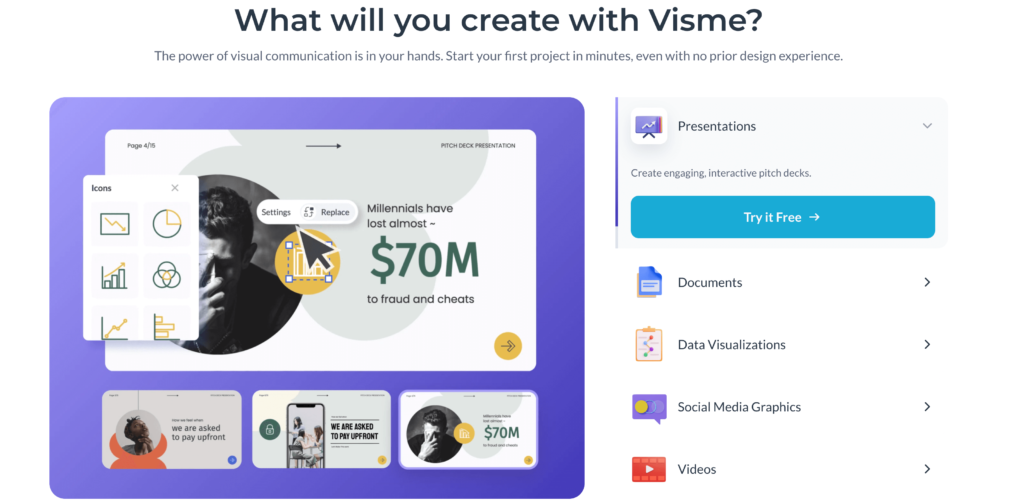
Visme is a bit more expensive than other Canva alternatives, but that’s because it focuses on complicated designs like infographics and marketing documents. It’s great for generating charts and widgets to share within your company and work with your entire team with the use of collaboration tools. People like social media marketers will find these features particularly useful.
It provides a brand kit to keep your color scheme and logo the same.
Importing and exporting for PowerPoint.
A large library of images, audio, video, illustrations, GIFs and more.
Team collaboration with comments, annotations, user types, and folder permissions.
It has Organization tools like a file manager, analytics, and sharing with other team members.
Pricing:
Free – $0 for up to five projects, limited templates, JPG downloads, limited charts, and public projects. This plan has Visme branding.
Standard – $25 per month for 15 projects, more storage, all assets, no branding, PDF downloads, and all charts. You also get premium support.
Business – $49 per month for unlimited projects, advanced download formats, folders, privacy controls, analytics, and more. This one also has collaboration.
Things you can do with Visme
Having so many great apps on the market is an amazing option for marketing professionals. Since the competition in the industry is so huge, all players take their apps to the next level, so as to offer the best possible solution and pick more customers. Do let us know in the comments which among these is your favourite.
Google Meet is a video communication software and is one such platform that has greater demand not only in professional life but also in day-to-day life. It has high-quality video meetings with calls available and with that, the host of the meeting can share his screen to show the important topics of their discussion.
Starting a video meeting using Gmail in Android
First of all, we have to open Gmail.
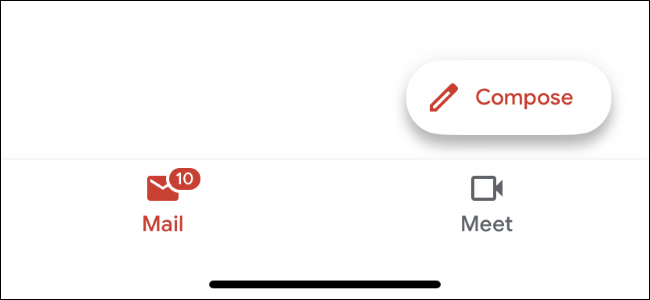
Then in the bottom right there will be an icon of a camera named meet.
3. Click on the meet icon.
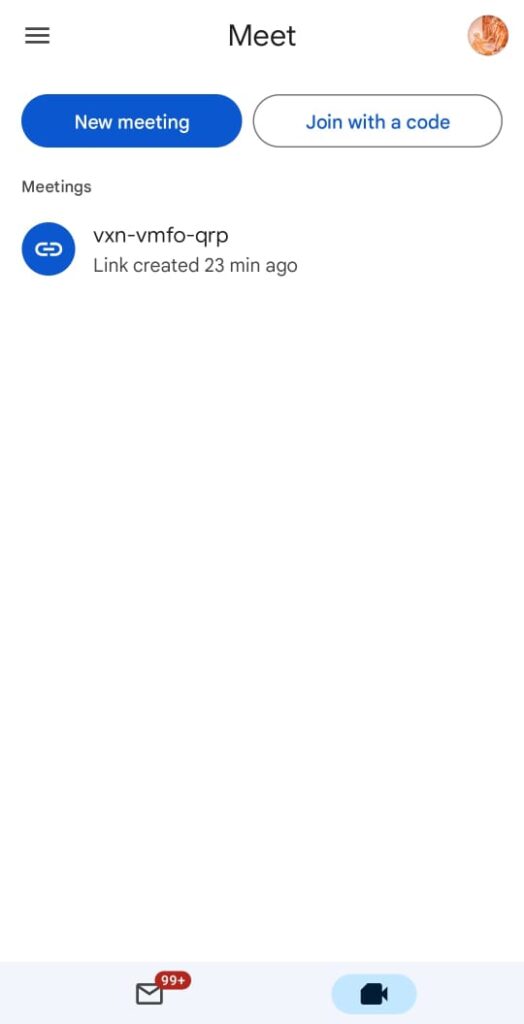
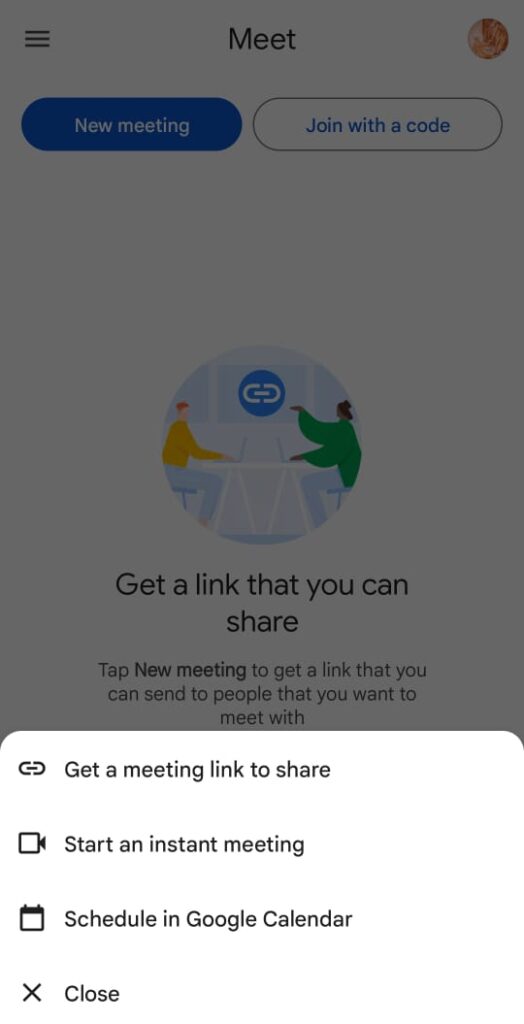
4. Then, in the Meet section click on New Meeting.
5. After clicking on the New Meeting below three options will come that are –
Get a meeting link to share.
Start an instant meeting.
Schedule in Google Calendar.
6. Select an option –
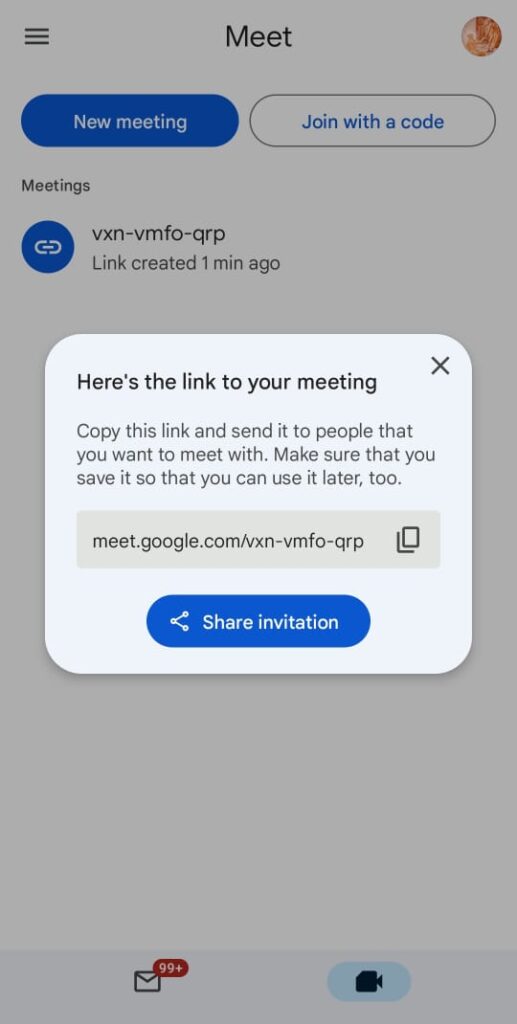
*Get a meeting link to share – Then a meeting code will be generated and by clicking on the share invitation you can share by any of the online media platforms. By sharing you can instantly join with others or can schedule the meeting at your convenience.
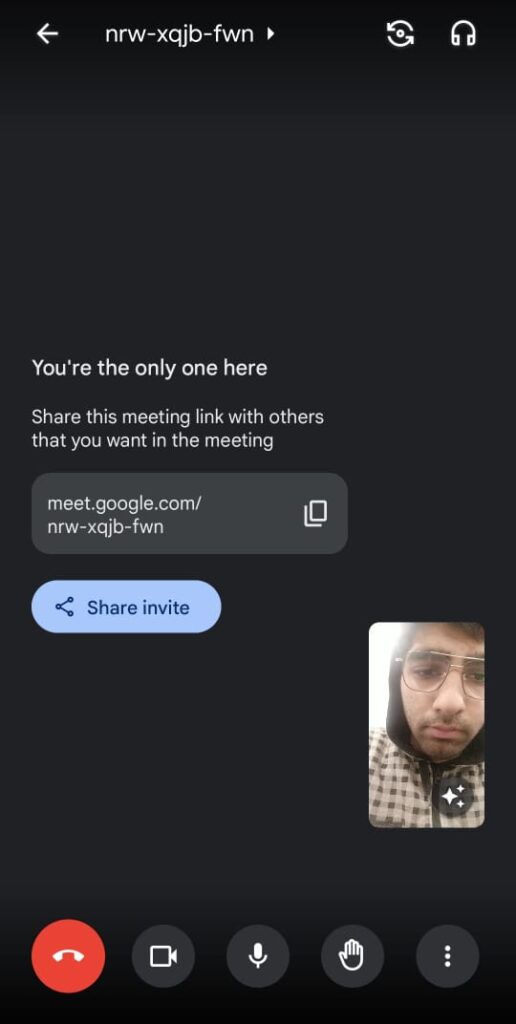
*Start an instant meeting – By clicking on the “start an instant meeting” then immediately a video meeting will be started then can share the invite link with your other meeting members.
*Schedule in Google Calendar – For creating a meeting you are directed to Google Calendar and you can schedule your meeting at your convenience or can get a notification that the meeting is going to be held soon so be ready for the meeting.
Conclusion – So, you can see that Google Meet is easy to work with and fulfills all the things that are necessary for a video meeting and also helps to increase the efficiency of your work. It has a higher security as without the admission of the host no one can join the meeting.
There are plenty of online tools that can literally save hours of work and hundreds of dollars.
Below are some tools you might not know that I use on a daily basis, and that could help you build your business tremendously:
1. PDF DRIVE
PDF Drive is a search engine for PDF files.
As of today, the platform is having 81,424,936 eBooks (number increasing every moment) for you to download for free.
This platform has no annoying ads, no download limits so you can enjoy at the fullest and download any pdf files.
2. SMALL PDF
Smallpdf is an editing tool and document management platform with dozens of useful tools.
It works on both desktop and mobile devices.
It includes PDF tools for converting, compressing, and editing digital documents.
You can easily add text, images, shapes, annotations, and more in pdfs.
PDF files can be converted to and from DOC, PPT, XLS, and many other file formats. Smallpdf also includes features such as digital signatures that can be used to sign contracts and fill forms.
Users can also request e-signatures from others and track progress as needed. Additionally, documents can be securely stored and shared using the Smallpdf platform.
Mobile apps are available for iOS and Android devices.
3. TINY PNG
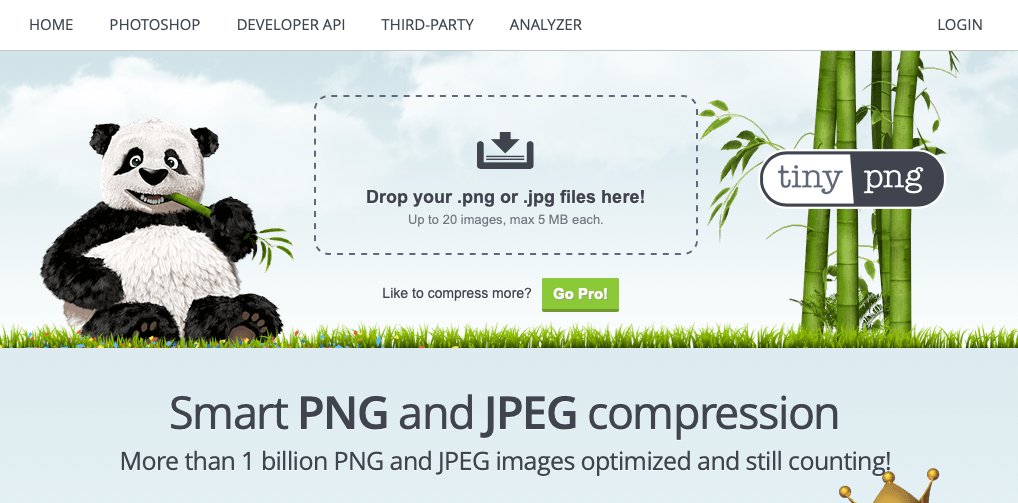
TinyPNG deploys smart lossy compression processes to minimize the file size of PNG/JPG files.
By precisely and selectively reducing the number of colours in the image, lesser bytes are needed to store the data. The effect is almost non-observable but it makes a considerable difference in file size!
4. PHOTOPEA
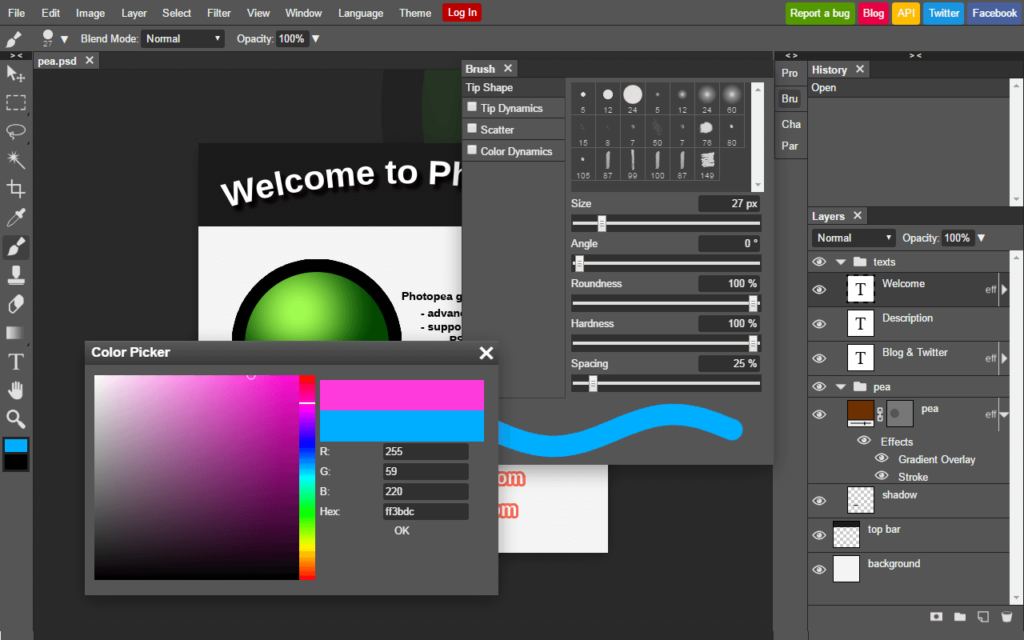
I call it the online alternative to photoshop. It has many powerful features which can compete with any other photo editor online.
Photopea lets users to edit images with comfort. One can easily edit and add special touch-ups to dull pictures and make them more appealing.
It’s free and open source, and has some non intrusive ads that help support its development. There is an upgrade option available for $9 per 30 days to support the developer & remove ads.
5. GRAMMARLY
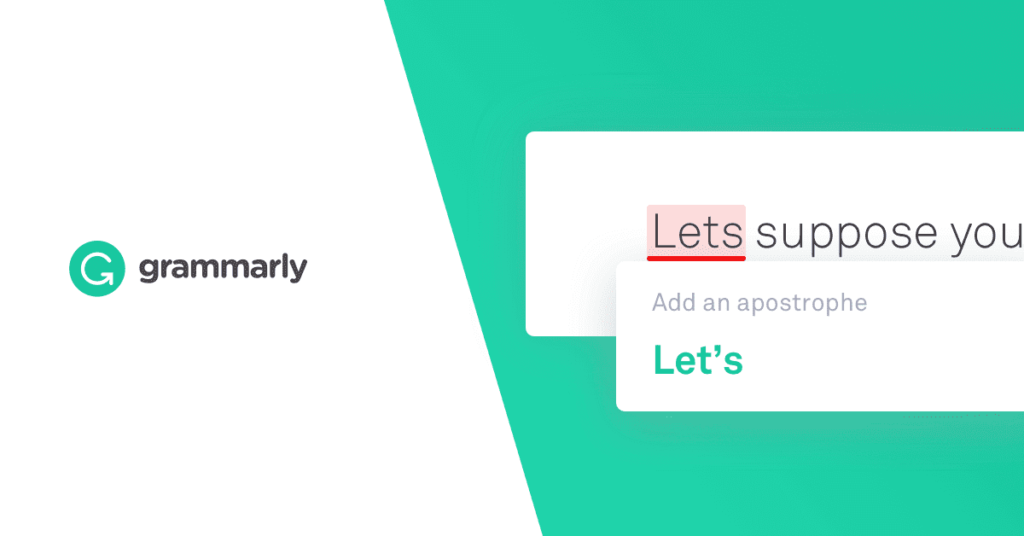
Grammarly is a cloud-based typing assistant meant for job seekers, writers, and other professionals can use to proofread and edit their documents.
Grammarly reviews for spelling, grammar, and punctuation errors, fixes vocabulary usage and delivery mistakes in text.
It uses AI to identify and search for an appropriate replacement for the located error. The tool has improved a lot over the years, built by linguists and programmers who developed algorithms to detect patterns of great writing.
I’ve tested all of them and even used nearly 3 of them while writing this blog. For me, these tools have made the work super easy and enjoyable.
Salesforce Winter ’23 Release preview is released by the tech giant. The preview includes hundreds of new features on display before the release becomes generally available on October 17. This second article about the release looks at the updates to the Salesforce industry clouds.
Salesforce says the release includes innovations that enable companies to automate and scale complex business processes. In addition to personalise customer experiences, and drive growth efficiently.
The company says the Salesforce Winter ’23 Release includes a range of new features and enhancements related to Lightning Experience, Salesforce Flow, Lightning Web Component, Apex, Experience Cloud, Einstein Automate, Customer Data Platform, Field Service, Marketing Cloud Account Engagement (aka Pardot), Quip, CRM Analytics, Enablement Sites and APIs, Financial Services, Healthcare and Life Sciences, Manufacturing, Public Sector, Media, Energy & Utilities, Communications and Net Zero Cloud. While some of the features will be available in October when the release is live, others will require administrators to configure and/or activate them.
Salesforce services on cloud
Here is a detailed list of the Salesforce Winter ’23 Release features.
Salesforce Winter ’23 Release Features
New Sales enhancements
Sales to increase rep productivity with flexible processes and automation. The release includes:
Dynamic forms enhancements provide end-users more flexibility with fields and sections to display on page layouts.
Sales cadence screen flows.
Functionality to expand selling power and automation with admin-enabled screenflows triggered based on cadence step advancement.
Financial Services
This release enhances customer relationships and helps to reduce the cost of administrating relationships.
The Actionable Relationship Centre (ARC) is improved with a new graph template that administrators can customise, leveraging Einstein analytics. This shortens the time needed to generate graphs.
Improved KYC compliance with a new workflow that helps users validate the caller using information already in Salesforce. Salesforce has also added a KYC data model that helps improve the processes for identity verification, risk assessment, and screening checks of parties.
The release adds a new dashboard, Analytics for Retail Banking. This dashboard provides insights for Branch Unit Related Records and identifies the branches and bankers with the maximum number of leads and opportunities.
For insurance companies, the FSC Insurance Analytics Fast Start template enables users to create dashboards quickly to analyse their Book of Business.
Analytics with intelligent analytics experience
Einstein Discovery Live Predictions on Snowflake supports predictions in Salesforce powered directly by Snowflake datasets.
CRM Analytics Home enhancements streamline your analytics assets in Analytics Home.
Einstein discovery model inspection discovers more about a model than just its predictions.
UI Enhancements discover more insights through crafting experiences with the new interactions.
Healthcare and Life Sciences
For Life Sciences, there is what Salesforce describe as a new “flavour” for key use cases in the Life Sciences sector.
Improvements for Healthcare include a new Advanced Therapy Management feature. It allows booking multiple appointments across multiple locations for more complex cases.
This is strengthened with the introduction of Virtual Care, integrated with Amazon Chime, which allows users and patients to access video appointments, improving accessibility to Healthcare regardless of geographical or physical limitations.
Using OmniStudio and Discovery Framework, users can now create customer health assessments. It ensures that patient records are kept up to date and can identify new health risks or concerns with analysis.
For administrators, there are new and changed objects. Salesforce has extended the timeline for supporting the EHR Data Model and the transition to the Clinical Data Model.
There are also new Fast Healthcare Interoperability Resources (FHIR) APIs.
Marketing
Account engagement: External actions register prospects for webinars and send out surveys in the Engagement Studio programmes.
Engagement: Push enhancements power to all customer messaging with a single platform in real-time.
CDP Connector for Google Cloud Storage. Ingest data from Google Cloud Storage into CDP to better understand and engage customers.
Manufacturing
For Sales, there are improvements to Sales Agreements, Account Forecasting, and Advanced Account Forecasting.
The update includes the introduction of weekly sales agreements to enhance planning. In turn, alerts are sent along with suggested next actions when targets are missed on forecasts.
There is stronger support for partner relationships with partner visit management. This feature enables representatives to assess distributor performance, renew warranties or sales agreements, resolve cases, or upsell products during visits. Field reps can schedule, perform and complete visits easily.
For administrators, there is an improved onboarding experience with guided help to set up the manufacturing cloud. This includes links to set-up pages, help pages and Trailhead resources for further guidance.
Other Clouds
The press release also listed changes to other Industry Clouds, but the release notes did not contain further details. They included
Communications
Order Management Analytics
Enterprise Self-Service
MuleSoft Starter for Communications Cloud
Energy and Utilities
Customer Self-Service
API Integration Suite
MuleSoft Starter for Energy & Utilities Cloud
Media
Subscriber Analytics for Media
Loyalty Management for Media
Advertising Clean Room
Net Zero Cloud
Carbon Credit Allocation
Water Management
Supplier Product Emission Factors Management
Enterprise Times: What does this mean
Conclusion
This is another substantive update from Salesforce. For Salesforce customers, their administrators should pay close attention to the changes to objects and the new functionality they can now roll out to take advantage of. The new set-up wizards align with the recent announcement of Salesforce Easy. It simplifies the onboarding process for all customers, offering the promise of self-service.
More information is likely to flow out in the coming weeks, and Salesforce will no doubt provide more detailed information as well. With Dreamforce occurring in person this year, people will also be able to see and hear in more depth about these and future updates.
Salesforce will have to consider making more fundamental changes to how it organises and structure its products and services. This may be reflected in future releases.
QR code is becoming more popular because consumers have finally learned how to use them. All want to learn how to generate QR code to get noticed and generate sales.
Any person with access to the web today can create QR codes. There are many free code generators and we include a list of the top code generators below, with notes on the components of each. But first, let’s start by understanding what QR codes are and how they work.
What is QR code?
A QR code is a type of barcode that can be read easily by a digital device and which stores information as a series of pixels in a square-shaped grid. codes are frequently used to track information about products in a supply chain and – because many smartphones have built-in code readers – they are often used in marketing and advertising campaigns. More recently, they have played a key role in helping to trace coronavirus exposure and slow the spread of the virus.
The first QR code system was invented in 1994 by the Japanese company Denso Wave, a Toyota subsidiary. They needed a more accurate way to track vehicles and parts during the manufacturing process. To achieve this, they developed a type of barcode that could encode kanji, kana, and alphanumeric characters.
The development team behind the code wanted to make the code easy to scan QR Code so that operatives did not waste time getting it at the right angle. They also wanted it to have a distinctive design to make it easy to identify. This led them to choose the iconic square shape that is still used today.
Where To Use QR Codes
QR codes can be used to:
The data stored in a QR code can include website URLs, phone numbers, or up to 4,000 characters of text.
Link directly to download an app on the Apple App Store or Google Play.
Authenticate online accounts and verify login details.
Access Wi-Fi by storing encryption details such as SSID, password, and encryption type.
Send and receive payment information.
And much more – a company in the UK called QR Memories even creates codes for use on gravestones, allowing people to scan the code to read more about that deceased person’s life (if they have an obituary or news story relating to them online).
Can be used in Bill payments
How Does QR Code Work?
The way 2-D codes work is that some party first generates a code, and then a user scan QR code with a QR code reader, which today is usually mobile apps on iPhone or Android smartphones.
QR codes may seem geeky, but it is not necessary to understand the complex technology behind them. Just know that there are two pieces to using these codes. One—someone makes generated QR codes, and two—the user has to scan the codes to read them. Let’s break these two parts down further.
How to Scan QR Codes?
The second part of how a two-dimensional code works is that the party you intend to receive the information has to scan the code to “read” it. In our example, the intended user might be a potential customer who receives a postcard with a QR code on it.
The intended recipient uses a code reader or QR code scanner app. Today, a camera app in a mobile phone can do QR code scans. Additionally, there are newer iPhone and Android smartphones that come with this functionality built-in. Or users can download a QR code scanning app from the relevant app store to their phones or to other devices like tablets and laptops.
How to Generate QR Code?
A business that wants to share information with customers or prospects has to first generate a QR code. For example, a restaurant might want to place a code on a direct mail postcard, linking to an online carryout menu.
To create a 2-D barcode, you will need a Quick Response code generator. It is a software app that helps you create your own unique code image.
You can find many generators on the web to create a 2-D barcode. Pick a free code generator from our list below, or if you need advanced capabilities, pick a paid QR code generator. Enter the information you want to convey into the fields. Tap create.
Voila! Making a new code is just that simple. The output is a code image file that you can download. You then insert the image onto marketing campaign materials, a tradeshow banner, a sign, an email, an ad or somewhere else.
1. Decide How You Plan to Use a QR Code
In step 1 of how to make QR code, select how you plan to use it. Start with the end in mind. What are your goals and needs? What information do you want to share?
A lot of barcode use cases relate to marketing. You may need to give users more information than you can fit into a small space such as an ad, so you place a scannable code that takes up very little space. A scan might lead the user to landing pages or prompt users to take some other action.
2. Find a QR Code Generator
The second step to generating 2-D barcodes is to find a 2-D barcode generator.
Two-dimensional code generator apps are easy to use. You enter the necessary data into the appropriate field, press a button and you get one of the odd-looking codes instantly in the form of an image. You then paste or insert the image into postcards, a business cards, a sign or promotional materials.
Free two-dimensional barcode generators are a good place to start if your needs are simple and you just want to create one code. If you plan multiple campaigns using codes or have a specific design or feature needs, a paid platform offers more flexibility. Keep your needs in mind as you review our list of the best 2-D code generators below.
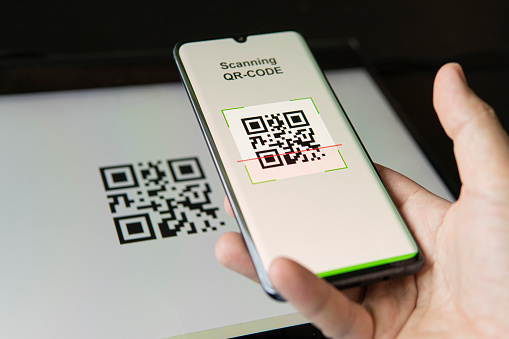
Scanning code with a smartphone.
3. Decide Static QR Code or Dynamic
Before you create 2-D codes, it’s important about their two main types: static and dynamic.
Static Code
A static 2-D code is fixed, meaning the data that is stored in it cannot be changed once the code has been generated. A good use for this QR code type is to create a VCard with your contact details for a digital business card. Static information works fine in this type of QR code because the contact information you share rarely changes.
Dynamic Code
A dynamic QR code is one that is changeable. This is accomplished through a redirected URL. The content is not stored in the QR code, but instead in the website URL. Here are a few attributes of dynamic codes:
If you need to change anything, you can change the redirected URL or change the content on the destination web address.
In addition, you can capture and measure scan statistics with a dynamic QR code.
You can even do automatic downloads. For example, create PDF file documents that immediately download as soon as the user scans. Make sure the file size of any PDF is not too large, because it will be stored in the user’s phone.
Remember, the user must be connected to the internet to use dynamic codes because the user will be directed to a web URL such as a landing page with a call to action.
Dynamic 2-D codes are the most popular option for marketing purposes. Most marketers will be using dynamic codes.
4. Enter Information and Customize the QR Code
The next step is to enter data and customize your 2-D barcode. You must, however, choose a QR code generator that supports the design options you want. Not all services will have the settings to let you create QR code designs so don’t choose the first name you come across.
For example, you can get really creative, going beyond the traditional black and white QR code. Add a logo to build brand awareness. Imagine your recognizable company logo or favicon appearing in the centre of a code. Customize your brand colours by choosing another colour other than black and white. Even add a map, animation or music.
Test your 2-D barcode to make sure it is working and sends users to the right destination. Before you scan QR Codes, it’s best to scan the code preview with a QR code scanner to test it.
Testing is especially important for static code because you cannot edit it. Once you’ve printed business cards with a static code, for example, you would have to reprint them to correct typos.
5. Download Your QR Code
Step 5 is to download the two-dimensional code you’ve created to your computer. The best generator platforms allow you to save QR images in different file formats. And the format you choose should take into consideration where you are going to use the barcode. Print, for example, requires higher quality formats.
ONLINE: If you are going to use codes on web pages, then a tif, gif, jpeg, jpg, BMP or png format will work. One advantage of a png format is that it preserves all the colour information as well as opacity and transparency with high resolution.
PRINT: If you plan to put the code in a print campaign, you need print quality that will be crisp and clear when printed. This can be an SVG, eps, or pdf vector graphic. They can be proportionally resized without losing quality. And this is important to keep the integrity of your 2-D code. A high-resolution png file also works for print.
Print form of the generated code.
Whether digital or print, the QR code must be clear and not blurry. This is because QR barcode readers can perform differently depending on the operating system and camera of the mobile device. Android and iOS operating systems, as well as BlackBerry, all have different reading capabilities.
After downloading, you’re ready to share your code on promotional materials, your website, or other locations. Make your code highly visible. That’s the ultimate goal.
Conclusion
Now it’s your turn! You’ve spent enough time scanning QR codes, so why not make your own? Follow the steps in this article and see how to make a QR code for your business, project, or event out there in the real world. It will make your transactions easier and help your business go digital.
If you’re thinking about starting IT services, one of the essential steps is specifying your services. No two IT service providers are the same because there are tons of different opportunities out there for delivering value to clients.
Here are a few IT services company ideas that your Business can provide
Different Types of IT Services
Here are some popular types of IT services to consider.
1. Managed IT Service
Many IT service providers that work with small businesses are called managed service providers. This can actually encompass a variety of specifics but allows the business to service the company’s network on an ongoing basis at a regular rate. It is often less costly for companies over time since it can prevent expensive problems from forming in the first place.
This is the type of service that Joerg Laves eventually landed on for his business, IT Secure Services. Laves says, “We decided to make the change from reacting to problems and move toward a standards-based configuration where we provide surveillance to see what’s going on and resolve issues before they actually turn into problems.”
On-Demand IT
Another way to structure an IT services company is by offering services on demand. You can still offer the same variety of specific functions. But instead of companies paying a regular monthly fee, they just pay for each individual service when they need it.
Network Setup
You could also offer a preliminary setup service for businesses just looking to get their networks up and running. It’s possible to offer this as a standalone service, but could be even more valuable as part of a managed IT package.
2. Network Security
Data is the backbone of any business and company. Although data is a valuable resource that becomes the crux of many important decisions, strategies and business action plans, it also comes with a huge responsibility. Companies have to ensure that their data as well as the data related to their clients and customers remains protected and safeguarded. Therefore, one of the most demanded IT support company for small businesses offers network security.
The responsibility of these service providers is to ensure that the data of their clients and their businesses remain safe. These companies deploy cyber security measures to protect the data. From access control to keep a log of any changes made, network security is a comprehensive set of IT services that is of immense importance for almost all businesses and companies.
3. Cloud Computing
This category includes any type of IT service that is delivered over the internet or a dedicated cloud network. So a cloud platform or SaaS offering would fall into this category. So essentially, in cloud computing, you could create a type of software that is delivered to users over the cloud and then charge them a membership fee for the ability to access it.
Depiction of Cloud Computing
4. Database Management
A database is a system that a business uses to monitor and access its data throughout its lifecycle. It would include things like customer and employee information, sales and finances. Database management includes organizing that data to ensure compliance, security and performance of data-driven applications.
5. Software Support
If you enjoy dealing with software products like those that run databases, spreadsheets or multimedia, you can offer a service where you provide support for users that are in need of technical fixes. You can focus on a specific type of software or list of programs, or offer a more generalized service.
6. VoIP Service
VoIP stands for Voice over Internet Protocol. You can offer an online service that allows your clients to communicate with others via voice calls, either on an ongoing or as-needed basis. You can even add this service as an option for a managed IT service, as IT Secure Services does.
VoIP Service for client communications
7. Data Storage
You can also simply provide a platform or service for companies or individuals to store their data. You can provide a cloud platform or on-premises storage option for system backups or additional storage so that users don’t have to keep everything on their main devices. You could also combine this with a security offering if you deal with sensitive or proprietary data.
8. Social Media Consulting
Social media is a core component that can help any business or company grow in the modern era. Using social media appears to be very simple and straightforward. But if you truly want to unleash and make use of the power of social media to take your company to the next level, it will require a lot more effort and hard work.
Social Media Consulting is a powerful IT service which many companies and businesses rely on. When offering this service, the service provider has to look after the social media pages and outlets of their clients. From posts to social media strategies, the service provider has control over all the dimensions of social media. The purpose is to engage with as many people as possible and turn visitors into long-term loyal clients.
Social Media plays a major role in Business growth and Social Media Consulting can be a saviour
9. Web Designing Services
A site is an online portfolio for virtually any business enterprise. Because of this, it’s the major interest and goal of organizations to invest in a fantastic web design supplier. When offering site development solutions, the business must create a site for its customer.
The design of this site that’s front-end improvement to taking good care of the backend variables such as servers and hosting, everything needs to be achieved by the service supplier.
As a result of the immense use of the net and competition to guarantee optimal internet presence, virtually all businesses are thinking about seeking assistance from web designing service providers. The job of web design service suppliers isn’t restricted to the design of their site, but the updates and maintenance will also be their obligation so this service may develop into a long-term business companionship.
10. Email Marketing Services
Email marketing is a popular tool that almost businesses and companies use these days. Have a look at your own inbox, you will be amazed to see a large number of promotional and branding emails. But have you wondered who composes, plans and sends out these emails? This job is done by email marketing services providers.
Email marketing IT service providers come up with a marketing strategy which makes use of emails to connect with existing as well as potential clients. These emails often contain announcements regarding sales or promotions. A call to action statement also helps increase site traffic thus reaping benefits for the company.
The IT services mentioned in this article are all in great demand and, if you choose to have your business offer them, can help it gain much success as long as they’re performed properly. I hope you go through this list thoroughly and make an informed decision about the service you’d like to take up.
Once you get to the phase of interviewing for a job, you have a reasonable shot at getting an offer. They have already narrowed a large applicant pool down to a few people who are being called in for a discussion and now all you need to do is know how to impress in an interview.
Many of the things you need to do to ace the interview are not the same things you needed to get through the screening process that got you there. In particular, you have impressed the hiring committee with your credentials, so now it is time
to address the concerns that will be top of mind for recruiters. As I have written in the past, recruiters want to know three things about you:
What will it be like to work with you?
Can you learn?
Do you take initiative?
How to Impress in an Interview??
Here are five things you can do to ensure you address these questions well at the interview.
Study Up
Find out as much as you can about the firm that is interviewing you. That includes checking out the company’s website to know what new strategic projects they are highlighting and looking at news reports about it. It is also useful to check out job websites to see reviews from other people who have worked there in the past. If you know anyone who has worked there (or currently works there), talk with them as well.
You want to enter the room as someone who is knowledgeable about the company and can ask good questions about your job and the role it will play inside the organization.So, google interview questions and use them during the interview. In addition, it is a great way of demonstrating your initiative. You are letting them know that you will be completely prepared for whatever comes at you after you’re hired.
You studied and you can do the job
Be Willing to Listen
Undoubtedly, at some point during the interview, you will be asked a question where you get some feedback from the interviewer that they are not completely satisfied with your answer. There is a strong urge to double down on your answer and to continue to explain yourself.
A better alternative is to listen to the criticism and to take a different approach based on what other people say. Better yet, ask some questions. For example, if the interviewer gave you a hypothetical situation, ask the interviewer how they would approach it. The aim is to demonstrate that you don’t believe that you already know everything you need to know in order to succeed at the job, but instead are willing to learn from your colleagues.
Try to remember some questions to ask after an interview. It will help you appear more interested in the recruiter and the company
Converse, Don’t Monologue!!!
Another great strategy on how to impress in an interview is that at a job interview, you’re the center of attention, so it is tempting to let that take over and do all of the talking. But, you’d like to get to know your now-prospective colleagues a bit more. Plus, you’d like them to see that you’re able to learn from them as much as they learn about you. So, you want to make sure to create a conversation rather than just your own standup routine.
One way to make that happen is to ask a lot of questions and a way to do it is google interview questions. After being asked a question about how you might handle a particular work situation, end with a question of your own, like, “How is that normally handled here?” or, “Tell me more about how decisions like this typically get made?” or, “What go-to strategies do you have for situations like this?” where you are also soliciting input from the interviewers.
The more that it becomes a conversation, the more insight that the interviewers get into what it will be like to work with you. The rapport you create through conversation will have a positive impact on the overall evaluation you get from your recruiter.
Ask informed questions
Any good interviewer will ask, “What questions do you have?” Through this, the hiring manager can gain a better sense of how well you know the company, understand the role, and have an interest in working there. Keep at least five questions in your back pocket or you can always google interview questions. Here are a few questions to ask after an interview.
What is the company culture like?
What are some of the biggest challenges facing the company currently?
What would you say has been the company’s biggest success so far this year?
What is your favorite part about working here?
What opportunities are there for professional development?
Not only will these questions help you learn about the company and your potential role, but it will also show the hiring manager that you have a genuine interest in the job and your chances of hiring escalate.
Be Yourself (Mostly)
There is a tendency to want to project a version of yourself that is the one that you think your employer wants to hire. It is important for you to bring yourself to the interview. You want to give people a sense of who you are likely to be as a colleague. If they hire a version of you that is not really you, it is possible that you’re not going to be that happy when you actually start the job.
That said, you do need to remember that it is a formal situation with people you probably don’t know that well. If you have an effective sense of humor, you can be funny, but you shouldn’t lean into it and you should avoid any risqué jokes. If you typically introduce yourself using your pronouns, you should do that in the interview. You want to be aware of issues of importance to you in the organization.
Remember, you already impressed the committee enough to want to talk to you. Now, you need to give them a sense that they want to have you around.
Show Don’t Tell
A core part of your strategy is to give people to get a sense of what it is like to work with you from the way you act, rather than what you tell them. You could say you’re a self-starter, but if you take the initiative to learn about the company before the interview, you’re demonstrating it. You could say that you’re ready to learn, but if you take comments said to heart, you’re showing the way you engage.
You can highlight some of the things that demonstrate your capabilities and you will definitely get hired for the job. The goal is not to refrain from telling your recruiter anything about yourself. But the more that you demonstrate the truth of those assertions with your actions, the more successful it is going to be.
Conclusion
Preparing to meet hiring managers for in-person interviews can feel intimidating, especially if you’re being hired for a position that aligns with your personal and professional goals. Fortunately, taking a bit of time to brush up on your skills and prepare yourself for the meeting can help you feel more confident and position you to make a winning first impression and these Strategies on how to impress in an interview will surely get you that new job.
Does your small business believe in employee bonus programs? Almost three-fourths of companies do. Giving employee bonus allows companies to reward top performers without increasing their fixed costs for salaries. Top-performing businesses are more likely to offer bonuses than the average business (79% vs. 70%). According to a survey, employee bonus programs are becoming more popular, especially among small and mid-sized companies.
Different Types of Employee Bonus Programs
Here’s a closer look at the most popular types of employee bonus programs and how to make them work for your business.
1.Team Incentive Bonuses
Annual incentive bonuses are the bonus plans examples that are given to individuals or teams that achieve goals set at the beginning of a performance cycle. More than two-thirds of companies use individual bonus incentive plan and 23% use team incentive bonuses. Team incentive programs are best used when group effort is required to lead to a measurable result and individual efforts are difficult to quantify.
To Create a Motivating Annual Bonus Incentive Plan:
Set clear, consistent and measurable goals that are tied to the individual or team’s roles.
Employees should understand how their actions relate to the overall goals. Team incentives can cause problems when “moocher” employees who don’t work as hard as their teammates benefit from the group effort. To avoid this, make sure that achieving the goal you set requires the efforts of the entire team.
Happy smiling employee excited by unexpected bonus in envelope.
2. Spot Bonus Program or Discretionary Bonus
If you’ve achieved a major goal or demonstrated exceptional performance, you may qualify for a spot bonus. Alternatively called a discretionary bonus, these can be three- or four-figure bonuses at some companies, and reward performance beyond explication. Usually, managers or executives have discretionary funds with which to reward employees who have made a significant impact on the business.
These spur-of-the-moment gifts recognize outstanding performance and can be a great motivational tool, especially during difficult times. Note, some employers may also grant spot bonus program in the form of gift cards or additional PTO.
To Create a Motivating Spot Bonus Program:
Create different levels of spot bonuses. You might give out very small rewards, like a $25 gift card, for being the most energetic person in the company trade show booth, on up to $500 or more for a truly above-and-beyond action.
Set a budget. Giving out spot bonuses could quickly eat up capital if you don’t set a limit. Create an annual budget for spot bonuses and don’t feel like you have to use it all if you don’t see deserving employees.
Make it count. Give spot bonuses for truly exceptional behavior, not just for doing the job.
Make it a surprise. If spot bonuses become rote — employees know every week two employees get one — they lose their power to motivate. Keep employees guessing and give spot bonuses irregularly.
Publicize it. Part of the reward of a spot bonus is getting singled out in front of your teammates for your work, so make sure you award spot bonuses in front of the rest of the staff. You can also publicize it by sending out a company-wide email or making an announcement.
3. Referral Bonuses
Referral bonuses are used by 39% of companies. These bonus incentive plan are offered to employees who refer job candidates who get hired and complete a probationary period with your company. The theory is that birds of a feather flock together and, if someone is referred by a good employee, there’s a strong chance they’re likely to be a good worker themselves.
Simply put, referral bonuses are for current employees who help recruit a new employee and vary depending on a few factors:
Role: Some roles like engineers garner a higher referral bonus for employees
Difficulty to Hire: If a company decides that a role is likely to be difficult to fill, they may up the incentive or the bonus.
Diversity: Companies like Intel challenge its employees to refer more diverse candidates and rewards employees who refer a woman, underrepresented minority or veteran.
To Create a Motivating Referral Employee Bonus Programs:
Develop a policy. Do you want to offer referral bonuses for every job, or only for certain positions? Do you want to have an ongoing referral program, or just alert employees at specific times you’re looking to hire and ask for referrals then?
Determine how you’ll handle payouts. Some companies pay out part of the referral when the employee is hired and the rest after they complete a probationary period of three months or six months. Others give the entire bonus at the completion of the probationary period. Either way, make sure your policy is in writing.
Consider offering higher referral bonuses for:
Referring candidates who increase staff diversity.
Referring candidates who turn out to be high performers.
And referring candidates for hard-to-fill jobs or with unique skills.
Depending on the difficulty you’re having finding candidates, you could even offer a very small referral bonus (like $25) for referring people who are worth calling in to interview, but don’t get the job in the end.
Happy Employees Stay!!!
4. Holiday Bonus
As the name suggests, a holiday bonus is given out during the winter holiday time and can be a way that a company tries to thank employees for a successful year’s work. Holiday bonuses can be any size and often increase employee productivity, retention and motivation. In many cases, a company will tie a holiday bonus to individual employee performance and may tell you what you did that led to the reward, whether that be taking on a stretch assignment, beating sales goals or exceeding other key performance indicators (KPIs).
Happy employees stay!!!
5. Signing or Hiring Bonuses
Signing or hiring bonuses (given upon hiring) can attract and motivate new hires — 34% of companies use them. Although they’re less likely to be used by small businesses, signing bonuses might be a good idea if:
They are standard in your industry. For instance, signing bonuses are common with IT employees.
You need to attract a candidate with hard-to-find skills.
You need to motivate a desirable candidate to move from another state.
For small businesses on a budget, a signing bonus can enable you to land desirable employees at lower starting salaries. Of course, signing bonuses can also backfire if candidates use them to job-hop.
To prevent this, it’s a good idea to stagger your signing bonus. You might pay half of the bonus at signing, then one-quarter after the employee has worked for six months and the rest at the end of the year. Some companies also institute “clawback” provisions where employees who quit a job before a year is up must return a percentage of the signing bonus.
However, don’t expect to rely on signing bonuses as your sole attraction and retention tactic. You need a comprehensive plan of employee development to keep these desirable workers motivated and loyal beyond the first year.
Job Advertisement with signing bonus
6. Retention Bonus
Retention bonuses reward employees for staying with the company for a long period of time. These are also used to retain high-performing employees especially when there is a hot job market. As employee poaching has increased in recent years, many companies offer retention bonuses to keep employees from jumping ship to a new job.
Typically a retention bonus is a one-time payment, and many companies prefer these over a salary increase because they may not have the necessary finances in place to commit to a long-term raise.
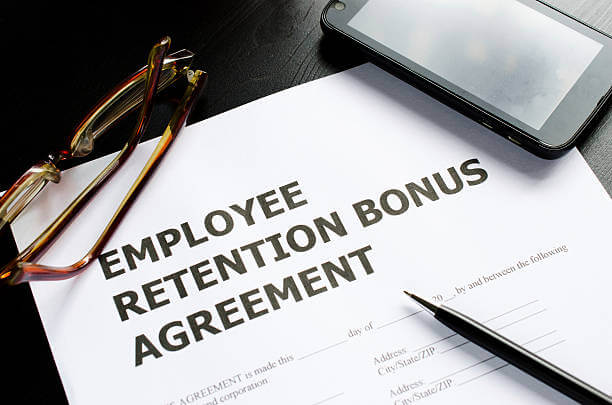
Agreement for employee retention
7.Profit-Sharing Plans
Profit-sharing is more popular among small and midsized businesses than their larger counterparts — 22% of small companies use it. These plans give employees a percentage of the company’s quarterly or annual profits. If you have a better-than-usual year, employees benefit. Profit-sharing plans can be tied into your company 401(k) plan, with the profits distributed as contributions to the retirement plan or can be on a cash basis.
To Create a Motivating Profit-Sharing Plan:
Profit-sharing plans tend to be very motivating because they give employees a sense of ownership in the business. Make sure employees understand how the profit-sharing plan works.
Set parameters for who can participate. Typically employees must have been with a business at least one year before taking part.
Profit-sharing plans, especially if tied to 401(k) plans, have specific regulatory requirements, such as keeping certain records, meeting reporting requirements and setting up a trust for the funds. Talk to your accountant or a third-party financial advisor to get assistance.
Conclusion
Of the many good news you can provide to an employee, none will fetch you a broader smile than an employee bonus pay. The announcement of a bonus is one of the happiest welcome surprises that your workers desire. It is because such rewards display a gesture of much-appreciated hard work.
For this very reason, giving employees a bonus will earn you a great name within your organization. It will bring dividends in employee loyalty, job satisfaction, employee net promoter score, employee engagement levels.
Although free, Gmail continues to be an excellent communications tool for small businesses. Many of Gmail’s options are hidden from plain sight, resulting in features such as email lists, group contacts and mass emailing to go unused. Here is How to Create a Mailing List in Gmail in 12 Simple Steps.
As a business, you have the power to create various groups according to your criteria and broadcast emails without turning it into a repetitive task. This type of feature is generally associated with a premium service, but it is available in Gmail for free.
Business use includes internal memos for individual recipients, team-specific emails, and external send outs to clients and partners.
The limitations with Gmail are sufficient to cover the needs of a small and even medium-sized business. Recipient caps per message go upwards to 500 addresses, while message size follows Gmail’s standard limit of 25MB. For email heavy environments, Gmail has a daily cap of 150 emails.
Even better, it’s easy once you know how to create a mailing list in Gmail. In this guide we’ll be following the newest version, but there is also an option to revert to the older format.
Why Would You Create a Mailing List in Gmail?
There are many reasons you may want to create a mailing list in Gmail. Here are a few of the most popular.
It improves productivity. If you have to send emails to a large number of recipients – and regularly – you don’t want to have to manually add each email every time, which would take precious time away from actually doing the real work. Having a mailing list solves that problem.
By combining a mailing list and some form of mail merge (whether you do that with a tool like Google Sheets), you can run email marketing campaigns at scale. Can you imagine adding in 100’s of emails every time you send one? Believe us, it still does happen.
List of Steps on How to Create a Mailing List in Gmail
Step 1
Go to https://contacts.google.com in a web browser. If you’re signed in to your Google account, this opens a page that displays your google contacts. If you’re not signed in, sign in now to view the page.
If you’re logged into the wrong account, click your profile icon in the upper-right side of the page and then either select the proper google account (if it’s signed in) or click Add account and enter your email address and password when prompted.
url for google contacts
Step 2
Select the google contacts you want to add to your list. To select a contact, hover your mouse cursor over the person’s name, and then click the empty box to the left of their name. Do this for everyone you want to include in the list.
Select the google contacts you want to add to your list
Step 3
Click the Labels icon It’s the icon that looks label or gift tab at the top of your google contacts list. This expands the Manage Labels window.
Labels icon
Step 4
Click + Create label. It’s at the bottom of the pop-up window.
Create Label
Step 5
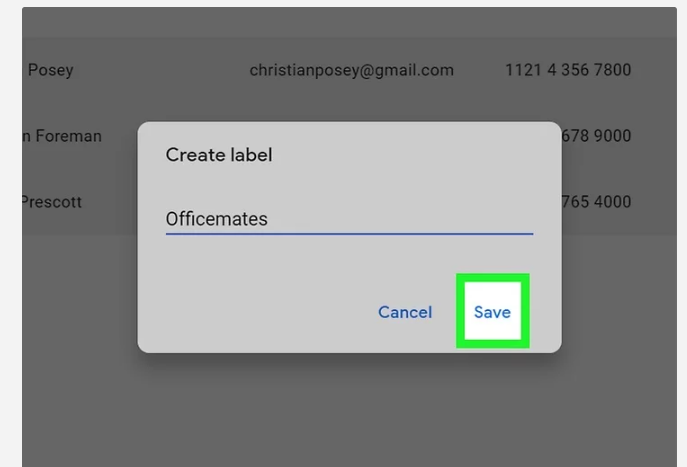
Type a name for your mailing list. The name you enter here is how your mailing list will be represented in your google contacts. This is the name that you’ll type into the “To” field later when addressing an email to your list.
Type a name for your mailing list
Step 6
Click Save to save your new mailing list. It’s at the bottom of the pop-up window.
Save your mailing list
Step 7
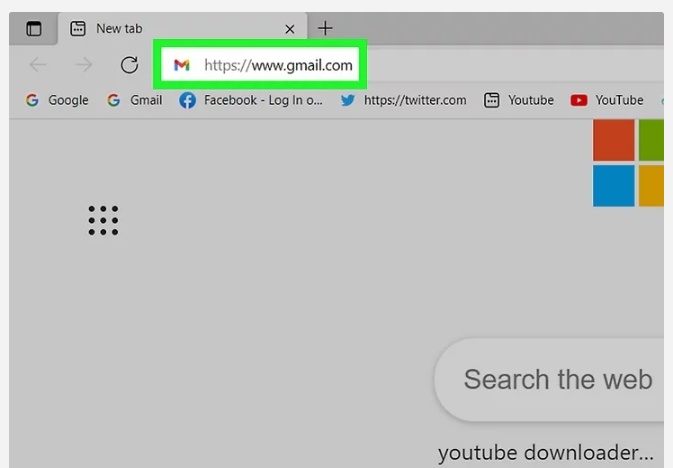
Go to https://www.gmail.com in your web browser. Now that you have a mailing list, you can easily create a new message in Gmail.
go to gmail
Step 8
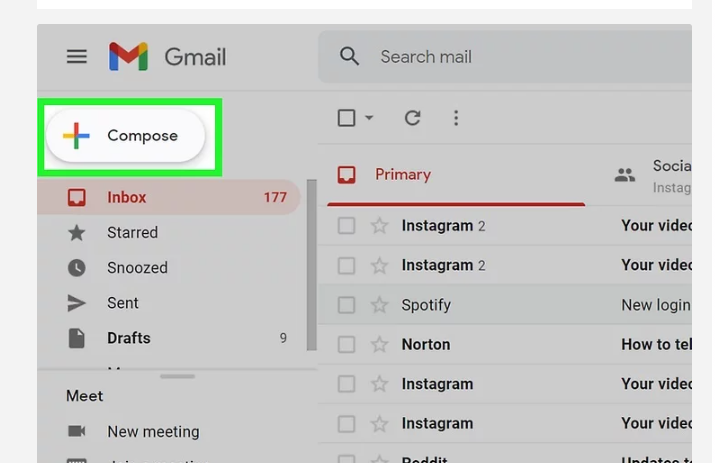
Click + COMPOSE. It’s at the top-left corner of your Gmail inbox.
Click compose
Step 9
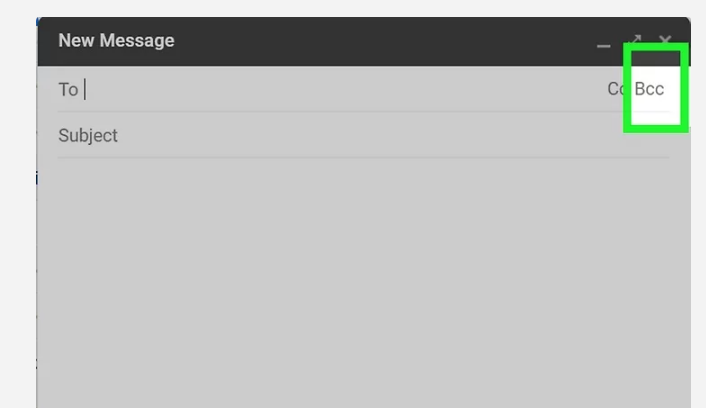
Click BCC. You’ll see this in the upper-right corner of the new message.This expands the BCC field below the “To” field at the top of the message.
As long as you add the name of your mailing list to the BCC field instead of the To or CC field, the people on your mailing list won’t see the email addresses of the other people on the list. This protects the privacy of your mailing list members and is good mailing list etiquette.
Technically, you can add this label to the To: field instead. But if you do that, everyone on the list will be able to see and reply to all other members. Don’t do this unless everyone on the list specifically asked to join a discussion list—when people reply, it could create way too many emails for list members, and there’d be no way for them to unsubscribe.
Select bcc to add mailing list
Step 10
Type the mailing list label name into the “BCC” field. There are two ways to do this:
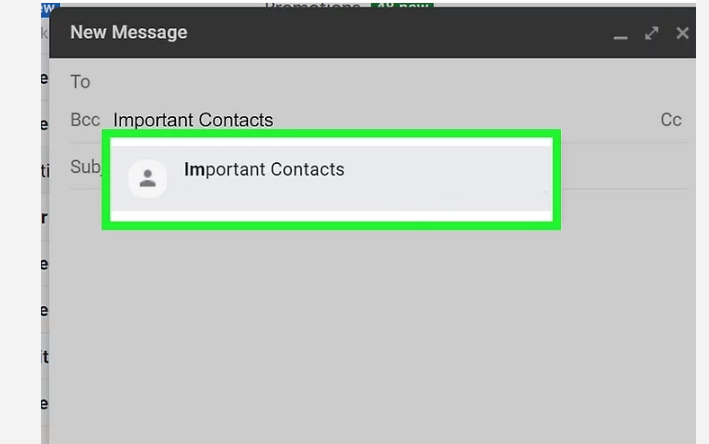
The simplest way is to start typing the name of your mailing list into the “BCC” field. When the mailing list label appears as a suggestion, click its name to quickly add the mailing list members to the “BCC” field.
If you have trouble finding your mailing list label this way, click BCC in the upper-left corner of the window (below the “To” field) to expand your list of contacts. Select the mailing list label from the drop-down menu at the top-right corner, check the “Select All” box, and then click INSERT at the bottom-right.
Type the mailing list label name into the “BCC” field
Step 11
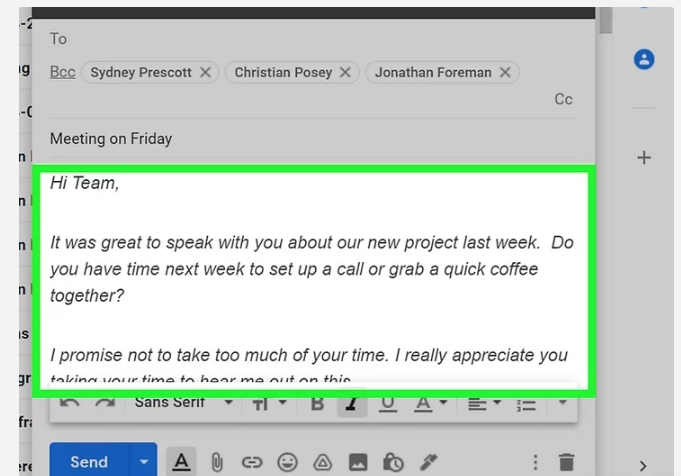
Write your email. Now you can enter a subject for your email into the “Subject” field, and type the contents of your message into the larger typing area below that.
Write your email
Step 12
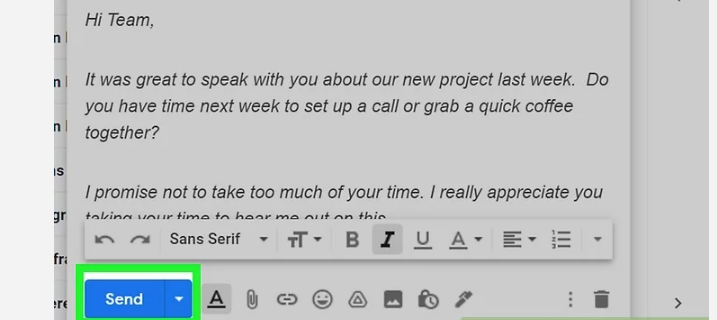
Click Send. It’s a blue button in the bottom-left corner of the “New Message” window. This sends your email message to everyone on the mailing list.
Click Send
Conclusion
Mailing lists helps business in many ways and now that you know how to create a mailing list in Gmail, the process is simple enough to repeat, allowing you to create separate groups for all your needs.